
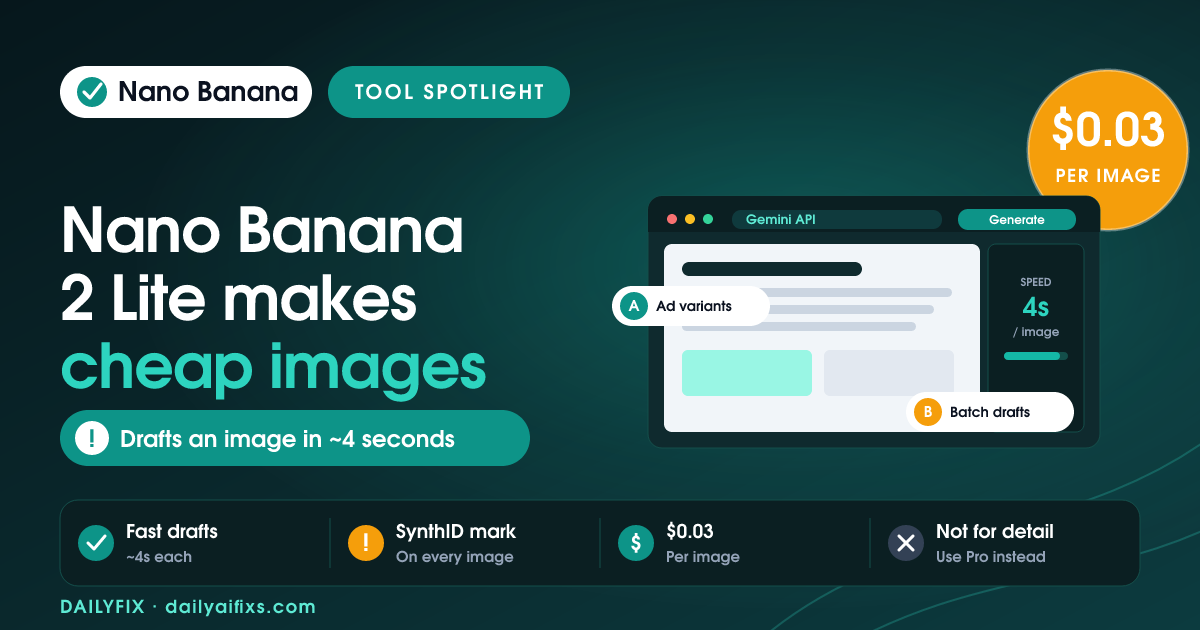
Nano Banana 2 Lite is Google's fastest and cheapest AI image model, launched June 30, 2026, as part of the Gemini family. It generates an image in about four seconds and costs roughly $0.034 per 1K-resolution image on the paid API. For solopreneurs who need many quick, good-enough visuals — ad variants, thumbnails, product mockups — it is worth using. For polished, brand-critical work, reach for a stronger model instead.
What is Nano Banana 2 Lite?
Nano Banana 2 Lite is Google's low-latency image generation model, built for fast, high-volume image creation and editing rather than maximum quality. Its official model name is Gemini 3.1 Flash Lite Image, and its API model ID is gemini-3.1-flash-lite-image. Google released Nano Banana 2 Lite on June 30, 2026, and positions it as the efficiency specialist of the Nano Banana image lineup.
"Nano Banana" is Google's product name for Gemini's native image generation — models that create, edit, and iterate on pictures from text prompts, image inputs, or a mix of both. Nano Banana 2 Lite sits at the cheap, fast end of that family. According to Google's launch blog as of July 2026, it is designed for the shift from making one impressive image to generating hundreds of useful variations. Google also named Nano Banana 2 Lite the official replacement for the original Nano Banana model (gemini-2.5-flash-image), which it now calls a legacy model.
How much does Nano Banana 2 Lite cost in 2026?
Nano Banana 2 Lite costs about $0.034 per 1K-resolution image, according to Google's launch post. The Gemini API pricing page lists a more exact standard-tier price of $0.0336 per 1K-resolution image, and $0.0168 per image under batch pricing. Input — text, image, or video — costs $0.25 per 1 million tokens. There is no separate free API tier; free use comes only through consumer Gemini surfaces.
| Pricing item | Paid-tier price (July 2026) |
|---|---|
| Standard image output (1K resolution) | $0.0336 per image |
| Batch image output (1K resolution) | $0.0168 per image |
| Text / image / video input | $0.25 per 1M tokens |
| Image output tokens | $30 per 1M tokens |
| Launch-post headline price | ~$0.034 per 1K image |
Prices and limits change often — verify on the official Gemini API pricing page before deciding.
The useful number is not price per image but cost per usable asset. Nano Banana 2 Lite is cheap enough that you can generate a batch of ten drafts, keep the best two, and still spend well under a dollar. If the model rejects or fumbles too many of your prompts, though, a pricier model that nails it on the first try can be the better deal.
Is Nano Banana 2 Lite free to use?
Nano Banana 2 Lite has no free API tier, but you can use it at no cash cost through consumer Google products. The model is rolling out to the Gemini app, AI Mode in Search, Google Photos, and Google Ads, where Google applies daily image limits that vary by account type and plan. Direct access through the Gemini API and Google AI Studio is billed per image from the first generation.
For a solopreneur testing the waters, the practical path is the Gemini app: generate images inside your daily quota, decide whether the quality fits your work, and only move to the paid API if you need automation, batch runs, or higher volume than the consumer limits allow. Check your own Gemini plan for the current per-day image cap, since Google adjusts these limits.
What is Nano Banana 2 Lite best for?
Nano Banana 2 Lite is best for fast, cheap, high-volume image work where speed matters more than perfection. Google says it delivers text-to-image outputs in about four seconds, which keeps you in a tight prompt-inspect-revise loop instead of waiting between tries. The model targets teams and solo operators who need many good-enough visuals, not one gallery piece.
Strong fits based on Google's docs and use-case notes as of July 2026:
- Paid social ad variants — the same concept across layouts, colors, and aspect ratios for Meta, TikTok, and Google Ads.
- Product and e-commerce imagery — lifestyle backgrounds, marketplace thumbnails, and category cards for A/B testing.
- Content visuals — blog headers, newsletter graphics, and course thumbnails produced at scale.
- Rapid prototyping — landing-page hero drafts, mood boards, and pitch-deck concepts you refine later.
Google also pitches a chained workflow: generate a still image with Nano Banana 2 Lite, then pass it into its new Gemini Omni Flash video model — priced at $0.10 per second of output — to animate it into short product or social videos.
Where does Nano Banana 2 Lite fall short?
Nano Banana 2 Lite is built for speed and cost, so it gives up ground on control and complex work. Google's own image docs note it is less suited to handling multiple reference images and long multi-turn sequential edits than the higher-tier Nano Banana models. For brand-critical, client-ready, or highly detailed images, Google steers you toward Nano Banana 2 or Nano Banana Pro instead.
Two more cautions matter for solopreneurs. First, every Nano Banana 2 Lite image carries Google's SynthID watermark — an invisible marker that flags the picture as AI-generated, so build disclosure into client and public work. Second, in-image text still needs a human check; Google claims legible text rendering, but image models routinely misspell words or distort small type, and a typo on a client's ad is your problem, not the model's.
Nano Banana 2 Lite vs Nano Banana 2 vs Pro: which should you pick?
Pick Nano Banana 2 Lite for cheap, high-volume drafts; pick Nano Banana 2 for balanced everyday quality; pick Nano Banana Pro for brand-sensitive, high-control work. The three models split cleanly along cost, speed, and control, so the right choice depends on the job in front of you rather than on which is "best" overall.
| Model | API model ID | Best for |
|---|---|---|
| Nano Banana 2 Lite | gemini-3.1-flash-lite-image | Fast, cheap, high-volume drafts |
| Nano Banana 2 | gemini-3.1-flash-image | Balanced general-purpose quality |
| Nano Banana Pro | gemini-3-pro-image | Complex, brand-controlled, client-ready work |
| Legacy Nano Banana | gemini-2.5-flash-image | Older workflows — Google says upgrade |
Prices and limits change often — verify on the official Gemini API docs before deciding.
If your app still runs the original Nano Banana (gemini-2.5-flash-image), Nano Banana 2 Lite is the first upgrade to test. Run your existing prompts through both, then compare speed, cost, text rendering, and how well each keeps brand colors and product details consistent before you swap anything in production.
How can a solopreneur use Nano Banana 2 Lite this week?
Start in the Gemini app, generate a batch of drafts for one real task, and only touch the API once you know the quality fits. A solopreneur can put Nano Banana 2 Lite to work this week without a developer by treating it as a fast draft engine and keeping a human in the loop for final review. The speed is the point: cheap iterations beat one over-engineered prompt.
- Pick one recurring visual you actually need — say, five ad thumbnails for a client.
- Generate 8–10 variants in the Gemini app, changing one detail per prompt.
- Keep the two strongest, then refine them by hand or with a stronger model.
- Check any in-image text letter by letter before it goes out.
- Add a line disclosing AI use where it matters for the client or platform.
FAQ
How much does Nano Banana 2 Lite cost?
Google's launch post describes Nano Banana 2 Lite at about $0.034 per 1K-resolution image. The Gemini API pricing page lists it as $0.0336 per 1K-resolution image on the standard paid tier, and $0.0168 per image under batch pricing. Text, image, or video input costs $0.25 per 1M tokens. Prices can change, so check the Gemini API pricing page before you budget.
Is Nano Banana 2 Lite free to use?
Nano Banana 2 Lite has no free API tier, but you can generate images at no cash cost through the Gemini app and AI Mode in Search, where Google applies daily image limits that vary by account and plan. Direct API and Google AI Studio use is billed per image. For steady free access, use the consumer Gemini app; for volume or automation, expect to pay per image.
What is Nano Banana 2 Lite best for?
Nano Banana 2 Lite is best for fast, high-volume image drafts: ad variants, social graphics, product mockups, blog and newsletter headers, thumbnails, and marketplace images. It suits workflows where you generate many options quickly and keep only the strongest. It is not built for complex art direction, multiple reference images, or long multi-turn editing.
How is Nano Banana 2 Lite different from Nano Banana 2 and Pro?
Nano Banana 2 Lite is the speed-and-cost model, tuned for cheap high-volume drafts. Nano Banana 2 is the balanced general-purpose model for stronger everyday quality. Nano Banana Pro is the premium model for brand-sensitive, high-control, client-ready work. A simple rule: Lite for speed, Nano Banana 2 for balance, Pro for control.
Do Nano Banana 2 Lite images have a watermark?
Yes. Images generated with Nano Banana 2 Lite carry Google's SynthID watermark, an invisible marker that flags the image as AI-generated. The watermark does not change how the picture looks, but it does mean the output is detectable as AI. Build a disclosure and content-labeling step into any client or public workflow.
Can Nano Banana 2 Lite render text inside images?
Google says Nano Banana 2 Lite keeps legible in-image text rendering and reliable prompt adherence despite prioritizing speed. That makes it usable for ads, posters, and social graphics with short text. Still, verify every text-heavy asset by hand, because image models can misspell words, add extra characters, or distort small type.
The Bottom Line
Nano Banana 2 Lite is worth using if your work needs many quick, cheap visuals and can tolerate a human review pass. At roughly $0.034 per image and four-second generation, it makes batch drafting for ads, thumbnails, and product mockups genuinely affordable for a solo operator. Just do not hand it brand-critical or text-heavy jobs unchecked — for those, spend more on Nano Banana 2 or Pro, and always verify the current price before you build it into a paid workflow.
Written by Sandeep Singh. Sandeep builds and tests AI tools and automations daily, and runs DailyFix to show solopreneurs which ones actually save time. Figures verified against Google's launch blog, the Gemini API pricing page, TechCrunch, and Coursiv as of July 2026.




