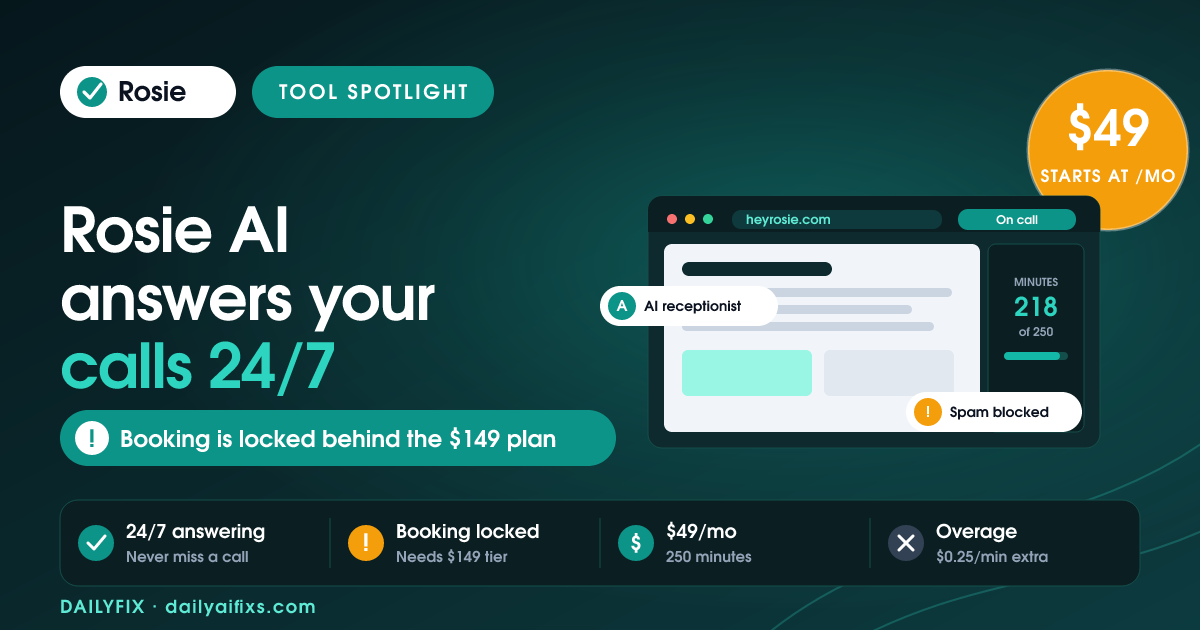
TL;DR: Rosie AI pricing in 2026 runs $49/month (Professional, 250 minutes), $149/month (Scale, 1,000 minutes), and $299/month (Growth, 2,000 minutes), billed on heyrosie.com, with two months free on annual billing. The catch: calendar appointment booking and live call transfers only unlock on the $149 Scale plan. The $49 tier just takes messages and blocks spam.
Last updated: August 2026 · By Sandeep Singh, DailyFix
Rosie AI is a 24/7 AI phone answering service aimed at solo owners and small teams who keep missing calls. It answers, filters spam, takes messages, and on higher tiers books appointments and transfers live calls. As of August 2026 it says more than 2,000 businesses use it. The pricing looks simple on the page, but the entry plan does less than most people assume. Here is exactly what each tier costs, where the real limits sit, and who should actually buy it.
How does Rosie AI pricing break down in 2026?
Rosie AI pricing 2026 has three monthly tiers: Professional at $49 for 250 minutes, Scale at $149 for 1,000 minutes, and Growth at $299 for 2,000 minutes. According to Rosie's pricing page (checked August 2026), annual billing gives you two months free, and every plan includes a 7-day free trial with no credit card required.
All three tiers share the same core: native iOS and Android apps, 24/7 availability, simultaneous call handling, automatic training from your Google profile and website, 10+ voices, English and Spanish on every call, a chosen area code, call summaries with transcripts and recordings, email and text notifications, and Zapier access to 1,000+ apps. What changes between tiers is minutes, the number of custom message-taking scenarios, and the routing features, booking, warm transfers, live transfers, and waterfall transfers.
| Plan | Monthly price | Included minutes | Message scenarios | Appointment booking | Call transfers |
|---|---|---|---|---|---|
| Professional | $49 | 250 | 2 | No | No |
| Scale (Most Popular) | $149 | 1,000 | 5 | Yes | Warm + live |
| Growth | $299 | 2,000 | Unlimited | Yes | Warm + live + waterfall |
Prices and limits change often, verify on the official pricing page before deciding.
What can the $49 Rosie AI Professional plan actually do?
The $49 Rosie AI Professional plan answers calls 24/7, blocks spam, takes messages across two custom scenarios, and runs a website chat widget, all within 250 answered minutes a month. What it does not do is book appointments or transfer live calls to a person. Those sit one tier up.
That gap matters because "answering service" makes most owners picture a receptionist who books the job. On Professional, Rosie is closer to a smart voicemail that screens spam and writes clean message summaries to your phone. For a plumber or accountant who just wants missed calls captured and junk filtered, that is genuinely useful at $49. But if your goal is a caller landing on your calendar without you touching the phone, the Professional plan will not deliver it, and that is the single most common mismatch buyers hit.
How do Rosie AI minutes and overage charges work?
Rosie AI minutes are counted as answered talk-time, and each plan includes a fixed pool: 250, 1,000, or 2,000 minutes a month. Go over, and the cost climbs, Rosie's own material describes an automatic upgrade to the next tier, while independent reviews such as ServiceAgent's 2026 breakdown report roughly $0.25 per extra minute.
Either way, the sticker price is a floor, not a ceiling. A single busy month, say a seasonal rush for an HVAC or home-services business, can push a $49 plan's usage past 250 minutes fast, because every answered spam call and every long booking chat burns the same pool. Before you pick the cheapest tier, estimate your real monthly call volume and average call length. If you routinely take more than a handful of calls a day, the 250-minute Professional plan is likely to tip into overage or a forced upgrade, which quietly narrows the gap to the $149 Scale plan.
Is Rosie AI worth it for a small business?
Rosie AI is worth it for a small business that loses real money to missed and after-hours calls, and whose calls are mostly routine, quotes, bookings, and FAQs. At $49 to $149 a month, it is far cheaper than a part-time receptionist and never sleeps. It is a weaker fit for businesses with complex, emotional, or highly technical calls.
The honest way to judge it: add up what one missed job is worth. For a home-services or clinic owner, a single booked appointment often covers the plan for the month, which makes even the $149 Scale tier easy to justify once booking is on the table. If your calls rarely convert to revenue, or a human's judgement is central to every conversation, Rosie's value drops. Based on the official pricing page and user reviews as of August 2026, the sweet spot is appointment-driven local businesses that pick Scale for the booking features rather than defaulting to the $49 tier and discovering the gap later.
Frequently asked questions
Does Rosie AI have a free plan?
No. Rosie AI has no permanent free plan. It offers a 7-day free trial that does not require a credit card, then paid plans start at $49/month for the Professional tier with 250 answered minutes. If you cancel inside the trial window, you are not charged.
Can the $49 Rosie AI plan book appointments?
No. The $49 Professional plan takes messages, blocks spam, and runs a website chat widget, but calendar appointment booking is not included. Booking, live call transfers, and warm transfers unlock on the $149/month Scale plan. If booking calls into your calendar is the reason you want Rosie, budget for Scale, not Professional.
What happens if I go over my Rosie AI minutes?
Rosie's own material describes an automatic bump to the next plan tier when you exceed your included minutes, while independent reviews report roughly $0.25 per extra minute. Either way, a busy month can cost more than the sticker price, so estimate your real call volume before picking the cheapest tier.
Does Rosie AI work outside the United States?
Rosie AI is built for US and Canada small businesses, handles calls in English and Spanish, and lets you pick a local area code. It is not positioned as a global multilingual platform. If you need many languages or non-North-American numbers, a developer-first voice platform will fit better than Rosie.
How long does Rosie AI take to set up?
Rosie trains itself automatically from your Google Business profile and website, so basic setup takes minutes rather than days. You can refine its answers with custom FAQs, pick a voice and greeting, and forward your existing number. The Growth plan adds a white-glove onboarding specialist for businesses that want help.
Is Rosie AI better than a human answering service?
For after-hours coverage, spam filtering, and simple message-taking, Rosie AI is cheaper and never sleeps. A human service still wins for nuanced, emotional, or complex calls. Many small businesses use Rosie for overflow and after-hours, then route the calls that need a person to their own team.
Bottom line
Rosie AI is a strong, affordable AI phone answering service for local, appointment-driven businesses, plumbers, clinics, salons, accountants, that bleed revenue from missed calls. Buy the $149 Scale plan if you want calls booked or transferred, because that is where booking and live transfers live. Pick the $49 Professional plan only if you genuinely just need spam-screened message capture, not booking. Watch your minutes, since overage or a forced upgrade can erase the savings of the cheapest tier. Skip Rosie if your calls demand human judgement on every conversation or you need broad multilingual, international coverage.
Sources
- Rosie AI official pricing page (checked August 2026)
- ServiceAgent, Rosie AI Review 2026: Pricing, Features and the Verdict
Related reads
- Vapi Pricing 2026: The Real Cost Per Minute
- Synthflow Pricing 2026: The Real Per-Minute Cost
- Retell AI Pricing 2026: The $0.07/Minute Myth
- Bland AI Pricing 2026: What a Call Really Costs