
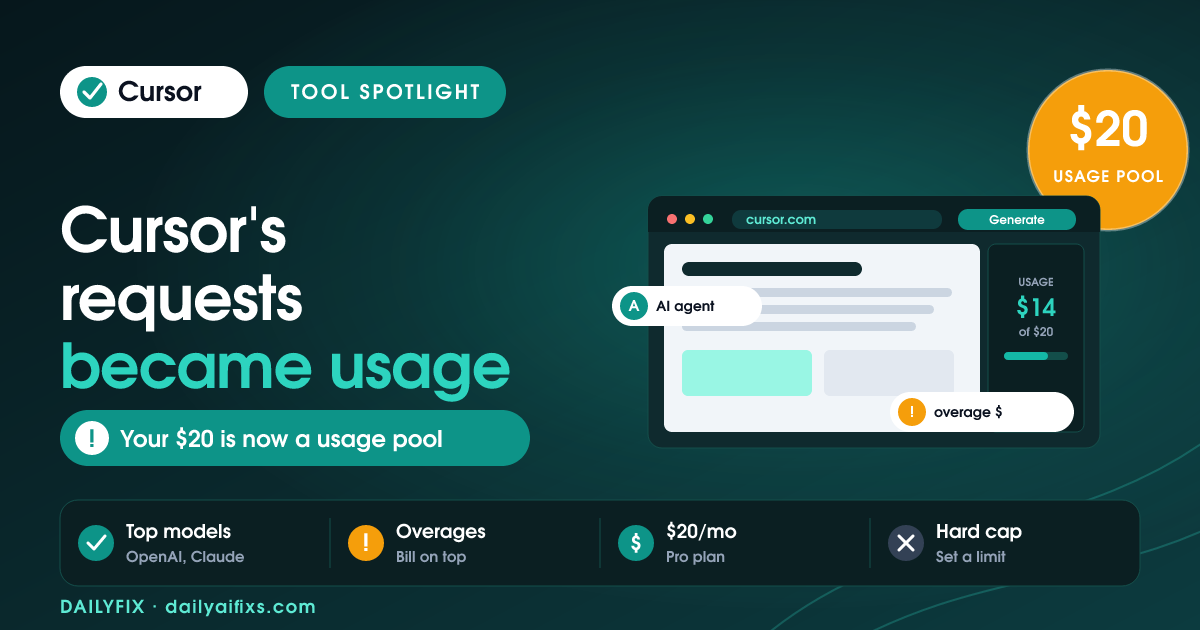
Cursor pricing in 2026 has five tiers: free Hobby, Pro at $20/month, Pro+ at $60/month, Ultra at $200/month, and Teams at $40/user/month. The big shift is billing: Cursor moved from counting requests to a usage-based model. Your $20 Pro fee is now a monthly pool of frontier-model usage, and once you drain it, extra work bills as pay-as-you-go overage instead of simply stopping.
Cursor is the AI code editor most developers reach for in 2026, and its pricing has been the most argued-about part of the product. After the June 2025 switch from request-based to usage-based billing, the headline price stayed the same but what you get for it changed. Here is how every plan works now, and the trap to watch, based on Cursor's pricing page and independent breakdowns as of July 2026.
How much does Cursor cost in 2026?
Cursor costs $0 on Hobby, $20/month on Pro, $60/month on Pro+, $200/month on Ultra, and $40/user/month on Teams. Annual billing saves roughly 20 percent, bringing Pro to about $16/month. The paid tiers mostly differ by how much frontier-model usage they include: Pro gives a baseline pool, Pro+ roughly 3x that usage, and Ultra roughly 20x, plus priority access to new features.
| Plan | Price (monthly) | Model usage | Best for |
|---|---|---|---|
| Hobby | $0 | Limited agent + completions | Trying Cursor, light use |
| Pro | $20 | ~$20 frontier-model pool | Most individual developers |
| Pro+ | $60 | ~3x Pro usage | Heavy daily AI coders |
| Ultra | $200 | ~20x Pro usage + priority | Power users, all-day agents |
| Teams | $40 / user | Pro usage + admin controls | Small dev teams |
Prices and limits change often — verify on the official pricing page before deciding.
What changed with Cursor's pricing model?
Cursor changed from request-based billing to usage-based billing in June 2025. Before, a plan bought you a set number of requests. Now, your monthly fee buys a dollar-denominated pool of model usage — Pro includes about $20 of frontier-model calls — and the tool draws down that pool as you work. When the pool empties, Cursor can keep going by charging pay-as-you-go overage at model cost, rather than cutting you off.
The upside is flexibility: cheap models and light edits stretch your pool much further than before. The downside is unpredictability. A single heavy agent session on an expensive model can burn a surprising share of your monthly usage, and if overages are enabled, your bill can climb past the sticker price. The fix is to set a spending limit and lean on cheaper models for routine edits, saving the frontier models for hard problems.
How much usage does Cursor Pro actually give you?
Cursor Pro's $20 buys roughly $20 of frontier-model usage per month, measured at underlying model rates rather than a fixed request count. How far that goes depends entirely on which models you pick. Routine autocomplete and light edits on cheaper models can last most of a month; constant agent runs on the most expensive frontier models can drain the pool in days. Usage-based means your habits, not a counter, decide your ceiling.
For a developer using Cursor a few hours a day with a sensible model mix, Pro usually holds up without overage. Once you are running agents all day across large codebases, Pro+ at $60 (about 3x usage) or Ultra at $200 (about 20x) becomes the cheaper, more predictable path than paying per-call overages on Pro. Track your first month's usage in the dashboard before you decide to jump tiers.
Which Cursor plan should you pick?
Most individual developers should start on Cursor Pro at $20/month, set a hard usage limit, and watch the dashboard for a month. Pro handles a normal mix of autocomplete, chat, and occasional agent runs. If you find yourself hitting overages every week, move up rather than bleeding pay-as-you-go charges: Pro+ at $60 roughly triples your usage, and Ultra at $200 gives about 20x for all-day agent work.
Teams at $40/user adds shared admin controls and centralized billing, worth it once more than one developer needs managed seats. The mistake to avoid is leaving overages uncapped on Pro and being surprised by the bill. Decide your monthly ceiling first, cap it in settings, then let your real usage tell you whether to stay on Pro or upgrade.
Cursor pricing FAQ
Is Cursor free in 2026?
Cursor has a free Hobby plan at $0 that includes limited agent use and code completions — enough to try the editor and handle light work. Serious daily use needs Pro at $20/month, which unlocks the frontier-model usage pool, MCP support, and cloud agents. The free tier is a real trial, but the usage limits are tight, so most developers who adopt Cursor move to a paid plan quickly.
How much is Cursor Pro?
Cursor Pro is $20 per month, or about $16/month on annual billing (roughly 20 percent off). Pro includes about $20 of monthly frontier-model usage, extended agent limits, access to top models from OpenAI, Anthropic and Google, MCP servers, and cloud agents. When you exhaust the usage pool, additional work bills as pay-as-you-go overage at model cost unless you set a spending cap.
Why did Cursor change its pricing?
Cursor switched from request-based to usage-based billing in June 2025 because AI model costs vary hugely by model and task. A flat request count over- or under-charged users depending on which models they used. Usage-based billing ties your cost to actual model consumption, so light users stretch their pool further while heavy agent users pay for what they burn. The trade-off is a bill that is harder to predict.
Can Cursor charge more than the plan price?
Yes. On usage-based billing, once you exhaust your plan's included usage pool, Cursor can bill pay-as-you-go overages at model cost — so a heavy month on expensive models can push your bill above $20 on Pro. You can prevent surprises by setting a spending limit in settings, which stops usage when you hit your cap. Cheaper models and lighter edits also make the included pool last much longer.
Which Cursor plan is best for heavy users?
For heavy daily coders, Pro+ at $60/month (about 3x Pro usage) or Ultra at $200/month (about 20x usage plus priority access) is more predictable than paying overages on Pro. If you run agents across large codebases all day, Ultra usually works out cheaper than repeated pay-as-you-go charges. Check your usage dashboard after a month on Pro to see which tier matches your actual model consumption.
The bottom line on Cursor pricing in 2026
Cursor Pro at $20/month is still the right starting point for most developers, but the usage-based model means your habits set your real cost. Cap your spending, use cheaper models for routine edits, and save frontier models for hard problems. If you consistently hit overages, move up to Pro+ or Ultra rather than bleeding per-call charges. Verify current usage rules on Cursor's official pricing page, since the model has changed more than once.
Sources: Cursor pricing page (cursor.com/pricing), eesel AI's Cursor pricing guide (eesel.ai/blog/cursor-pricing), and Finout — all retrieved July 2026.




