Granola Pricing 2026: The 30-Day History Wall
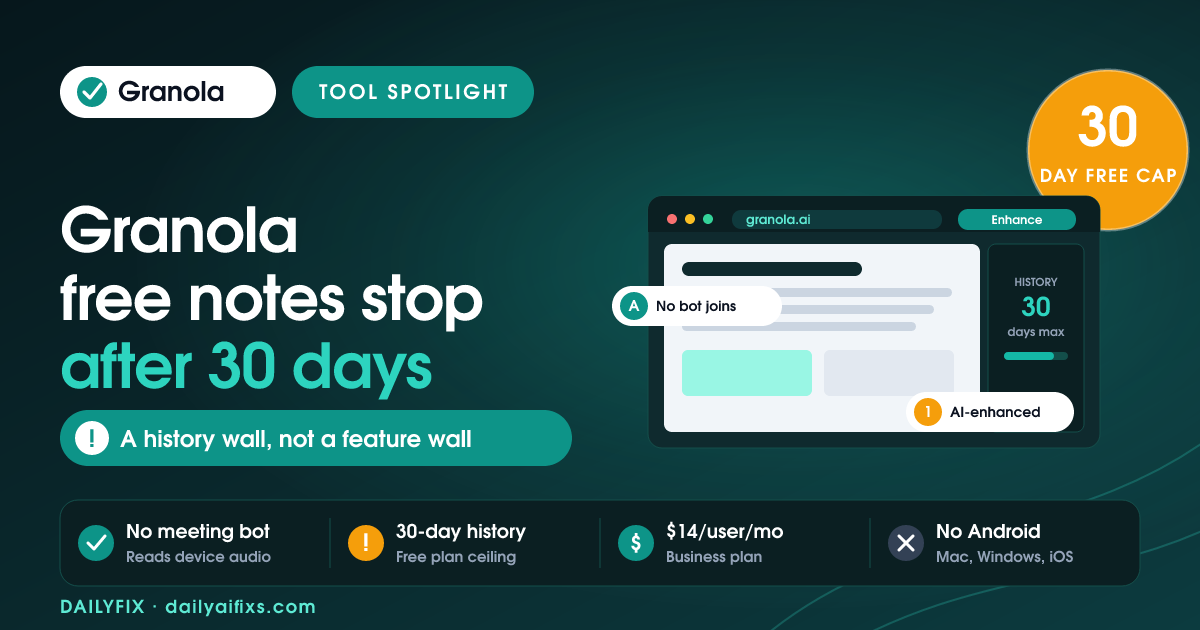
Granola pricing in 2026 has three tiers: Basic at $0, Business at $14 per user per month, and Enterprise at $35 per user per month. The free Basic plan includes AI-enhanced notes, AI chat, custom templates and shared folders — almost every feature. The one real limit is history: Basic shows only the last 30 days of notes. Older notes still exist, but you cannot open them until you upgrade.
What is Granola and how does it take notes?
Granola is an AI notepad for meetings that runs on macOS, Windows and iOS. You type rough notes during a call, and Granola rewrites them into structured notes using the meeting transcript as context. Granola captures system audio directly from your device, so no bot joins the call and no recording announcement appears to other participants.
That single design choice is why Granola gets recommended over tools that send a visible notetaker bot into every meeting. Reviewers on G2 repeatedly point to it — one wrote that Granola "listens directly from my device audio, no bots joining calls" and called it less intrusive than Otter.ai or Fireflies. It is still good manners to tell people you are taking AI-enhanced notes, and Granola's own transparency page says as much.
On the privacy side, Granola's security page states that Granola does not store meeting audio. It transcribes in real time on desktop, or from temporarily cached audio on iPhone, then keeps only the transcript and your notes. Any user on any plan, including free, can turn off model training in settings.
How much does Granola cost in 2026?
Granola costs $0 for Basic, $14 per user per month for Business, and $35 per user per month for Enterprise, according to Granola's official pricing page as of July 2026. Business is the plan aimed at individuals and small teams. Enterprise is a sales-led plan built for companies that need single sign-on and admin governance. There is no separate "Pro" or per-minute transcription charge.
| Plan | Price | Meeting history | Best for |
|---|---|---|---|
| Basic | $0 | Last 30 days only | Solo users who only need notes from the current month |
| Business | $14 / user / month | Unlimited | Solopreneurs and small teams who need an archive and CRM sync |
| Enterprise | $35 / user / month | Unlimited | Companies needing SSO, API access and org-wide data controls |
Prices and limits change often — verify on the official pricing page before deciding.
What does the Granola free plan actually include?
The Granola free plan, called Basic, includes AI-enhanced meeting notes, bot-free capture, AI chat within and across meetings, custom note templates, shared folders for collaboration, Recipes, multi-language support and model-training opt-out. Basic is not a stripped demo. Nearly every day-to-day feature ships on it. The Basic plan restricts how far back you can look, not what you can do today.
Specifically, the Granola Basic plan gives you:
- AI-enhanced notes. Your rough bullets get rewritten into structured notes with decisions and action items.
- AI chat. Ask questions about one meeting or across a folder of meetings.
- Custom templates. Build formats for recurring meeting types such as discovery calls or client check-ins. Templates are desktop-only — macOS and Windows, not iOS.
- Recipes. Saved prompts that run after a meeting to produce follow-up emails, coaching feedback or feature requests. Granola ships 29+ pre-built Recipes and lets you save your own.
- Shared folders. Invite other people into the same set of notes.
- Multi-language support. 10 languages on desktop, including English, Spanish, German, French, Portuguese, Japanese and Hindi, with more on iPhone.
- MCP access. Connect Claude, ChatGPT or Cursor to your notes so those tools can read them in context.
What is the catch with Granola's free plan?
The catch with Granola's free plan is a rolling 30-day history window. Notes older than 30 days are not deleted — Granola stores them — but they become unreadable inside the app until you move to a paid plan. Granola's own subscriptions documentation confirms this. There is no export escape hatch on Basic either, so the wall arrives quietly, exactly when you need an old note.
Two smaller limits sit underneath the history cap and catch people out:
MCP transcripts are paid-only. MCP, or Model Context Protocol, is the standard that lets an outside AI tool read your Granola notes. Basic users can query note summaries through MCP, but the get_meeting_transcript call — which pulls the raw transcript — is restricted to paid plans. MCP queries on Basic also inherit the same 30-day ceiling, and they only cover notes you own, not meetings shared with you in a folder.
Integrations are Business-only. Slack, Notion, HubSpot, Attio, Affinity and Zapier connections are all gated behind the $14 Business plan. If your plan was to have Granola drop client-call summaries into a CRM automatically, that workflow does not exist on free.
Is Granola Business worth $14 a month?
Granola Business is worth $14 per user per month if you re-read old meetings or push notes into other tools. Business removes the 30-day ceiling, adds unlimited searchable history, unlocks advanced AI models for cross-meeting questions, and enables the Slack, Notion, HubSpot, Attio, Affinity and Zapier integrations. If you only ever read notes from the meeting you just left, Basic is genuinely enough and you should not upgrade.
The clearest test is a question. Ask yourself whether you regularly need to answer something like "what did this client say about scope in March?" If yes, you need the archive, and $14 a month is cheap against the hour you would otherwise spend digging. If your notes are disposable — internal standups, quick syncs — the free plan does the whole job.
| Capability | Basic ($0) | Business ($14) | Enterprise ($35) |
|---|---|---|---|
| Meeting history | Last 30 days | Unlimited | Unlimited |
| AI-enhanced notes, bot-free capture | Yes | Yes | Yes |
| Custom templates and Recipes | Yes | Yes | Yes |
| AI chat model tier | Standard | Advanced | Advanced |
| Slack, Notion, Zapier, CRM integrations | No | Yes | Yes |
| MCP raw transcript access | No | Yes | Yes |
| API access | No | Yes | Yes |
| SSO, admin controls, org-wide auto-deletion | No | No | Yes |
| Model-training opt-out | Per user | Per user | Org-wide default |
Prices and limits change often — verify on the official pricing page before deciding.
Where does Granola fall short?
Granola falls short on platform coverage and on remote meetings you do not attend from your own machine. Granola runs on macOS, Windows and iOS only — there is no Android app and no Linux client as of July 2026. Because Granola captures device audio instead of sending a bot, Granola also cannot cover a call you skip, which is exactly what bot-based tools like Fireflies and Otter are built for.
The desktop-only custom templates are the other rough edge. If you work mostly from an iPhone, you can capture notes but you cannot create or apply a template, which removes much of the structure that makes Granola's output good in the first place.
Frequently asked questions about Granola pricing
Does Granola have a free plan in 2026?
Yes. Granola's free plan is called Basic and costs $0 per month with no trial expiry. Basic includes AI-enhanced meeting notes, bot-free audio capture, AI chat, custom templates, Recipes, shared folders and multi-language support. The main restriction on Basic is that only the last 30 days of meeting history stays accessible inside the app.
What happens to Granola notes older than 30 days on the free plan?
Notes older than 30 days on the Granola Basic plan are stored, not deleted, but they become inaccessible inside the app. Granola's subscriptions documentation confirms the limit is a rolling window on access rather than deletion. Upgrading to the $14 Business plan restores access to the full back catalogue of notes immediately, including everything captured while on Basic.
Does Granola join meetings with a bot?
No. Granola captures audio directly from your computer's system sound, so no notetaker bot appears in the participant list and no recording announcement plays. That design keeps meetings feeling normal, but it also means Granola only captures meetings you personally attend on a supported device. Granola runs on macOS, Windows and iOS.
Does Granola train AI models on my meeting data?
Granola lets any user on any plan, including free, opt out of model training from the settings menu. Granola also states that third-party model providers such as OpenAI and Anthropic are not permitted to train on your data. Granola does not store meeting audio, only the transcript and your notes, and reached SOC 2 Type 2 certification in July 2025.
Is Granola cheaper than Fathom or Fireflies?
Granola Business at $14 per user per month sits below Fireflies at $39 per seat and below Fathom Premium at $20 per month, based on the pricing pages of each tool as of July 2026. Granola is a different kind of product, though: it enhances notes you type rather than sending a bot to record meetings you skip, so price alone is not the deciding factor.
The bottom line
Granola's free Basic plan is one of the more honest free tiers in AI meeting tools — you get the real product, not a crippled demo, and the only wall is a 30-day view of your own history. Start on Basic and use it properly for a month. If you find yourself reaching for a note you can no longer open, or you want summaries flowing into Notion or a CRM, the $14 Business plan is the upgrade and it is a fair one. If you never look back, stay free.
All prices and limits verified against Granola's official pricing page, plan-comparison blog post and help documentation in July 2026.