Higgsfield AI Pricing 2026: The Credit Catch
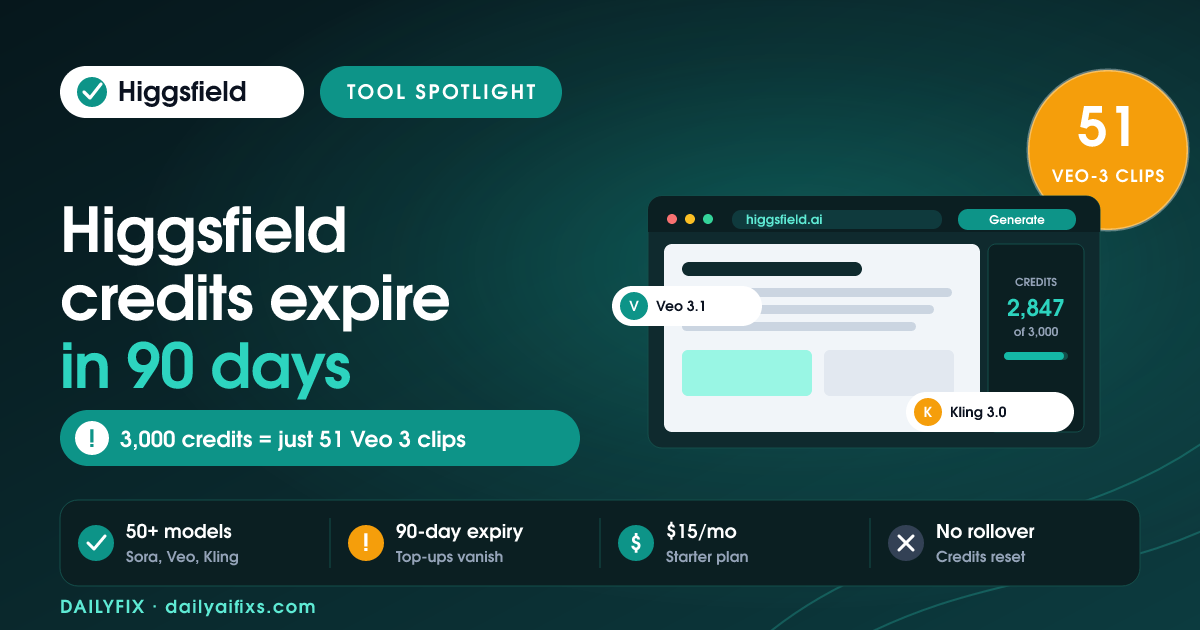
TL;DR: Higgsfield AI pricing in 2026 runs from a free tier (about 10 credits/day) to Starter at $15/mo, Plus at $39/mo, and Ultra at $99/mo on annual billing. The catch is the credit math: plan credits don't roll over, top-up packs expire after 90 days, and premium models like Veo 3.1 cost 40 to 70 credits each, so Ultra's 3,000 credits make only about 51 Veo 3 clips.
Last updated: August 2026 · By Sandeep Singh, DailyFix
Higgsfield AI is one of the loudest AI video tools of 2026. It bundles 50-plus third-party models — Kling 3.0, Sora 2, Veo 3.1, Seedance 2.0, and Nano Banana Pro — under a single subscription, and it grew from about $10M to $300M in annual recurring revenue in roughly 11 months. As of August 2026, the marketing sells "unlimited" creativity. The billing tells a more careful story. This spotlight breaks down what you actually pay, what a credit really buys, and who should skip it.
What are the Higgsfield AI pricing plans in 2026?
Higgsfield AI pricing in 2026 has a free tier (about 10 credits/day) plus three main paid plans on annual billing: Starter at $15/mo with 200 credits, Plus at $39/mo with 1,000 credits, and Ultra at $99/mo with 3,000 credits. A Business/team tier and one-off top-up packs sit on top. Month-to-month rates are higher than the annual numbers shown.
According to Higgsfield's pricing page and independent reviews checked in August 2026, the headline prices you see are the discounted annual figures. Several reviewers, including the team at gstory.ai, flagged that checkout defaults to annual billing, so people meaning to test for one month get charged for twelve. Toggle to monthly first if you only want a trial run.
| Plan | Price (annual billing) | Monthly credits | Best for |
|---|---|---|---|
| Free | $0 | ~10 / day | Testing the interface |
| Starter | ~$15/mo | ~200 | Occasional clips |
| Plus | ~$39/mo | ~1,000 | Regular short-form creators |
| Ultra | ~$99/mo | ~3,000 (scalable) | Heavy or premium-model use |
Prices and limits change often — verify on the official pricing page before deciding.
How many credits does each Higgsfield video cost?
Credit cost per Higgsfield video swings hard by model. Kling 3.0 is the most efficient at roughly 6 credits per clip, while premium models like Veo 3.1 and Sora 2 cost about 40 to 70 credits each, and a 15-second Seedance 2.0 clip runs around 90 credits. Higher resolutions such as 4K burn more. This is the real reason two people on the same plan get wildly different output.
Put the credit math against the Ultra plan's 3,000 credits and the gap is stark. That single allowance can produce roughly 428 Kling 3.0 clips, about 120 Seedance 2.0 clips, or only about 51 Veo 3.1 clips per month. If your style depends on the premium models everyone posts about, your effective monthly output is a fraction of what the credit number suggests.
| Model | Approx. credits / clip | Clips from 3,000 credits |
|---|---|---|
| Kling 3.0 | ~6 | ~428 |
| Seedance 2.0 (15s) | ~90 | ~120 |
| Veo 3.1 / Sora 2 | ~40–70 | ~51 |
Do Higgsfield AI credits expire or roll over?
No, Higgsfield AI credits do not roll over, and top-up credits expire. Monthly plan credits reset at each billing cycle, so anything unused is gone. Separately purchased top-up packs — sold at roughly $5 per 100 credits — expire about 90 days after purchase. Buying credits ahead of a project that slips is a use-it-or-lose-it gamble.
This two-part expiry is the sharpest edge of Higgsfield AI pricing. According to user reports and reviews checked in August 2026, community members chasing full brand-identity workflows burned through more than $1,000 in credits because premium models and 4K exports drain the meter fast. The fix is boring but effective: match your plan to your real monthly volume, and only buy top-ups the week you will spend them.
Is Higgsfield AI worth it for solopreneurs?
Higgsfield AI is worth it for solopreneurs who post short-form video often and stick to efficient models like Kling 3.0. For that user, one subscription replaces several separate model logins and the output quality is genuinely competitive. It is not worth it for occasional users or anyone who only wants Veo 3.1 and Sora 2 clips, because the credit burn makes those effectively expensive per video.
Higgsfield's Trustpilot sits near 3.2 out of 5 across 1,200-plus reviews, with a split of about 63% five-star praise and 20% one-star complaints. The praise is about output; the complaints are about confusing credits and the annual-billing default. That split is your signal: the tool works, but the billing punishes anyone who does not read the credit math first.
Frequently asked questions
Is there a free version of Higgsfield AI?
Yes. Higgsfield AI offers a free tier that grants roughly 10 credits per day. That is enough to test one or two low-cost generations, but not enough for premium models like Veo 3.1, which can cost 40 to 70 credits per video. Free outputs also carry platform limits, so treat the free tier as a trial, not a workflow.
How much is Higgsfield AI per month?
On annual billing, Higgsfield AI runs about $15/mo for Starter (200 credits), $39/mo for Plus (1,000 credits), and $99/mo for Ultra (3,000 credits). Month-to-month prices are higher. Checkout defaults to the annual plan, so confirm the billing toggle before you pay, as several reviewers were charged annually by mistake.
Do Higgsfield credits roll over to next month?
No. Monthly plan credits reset at each billing cycle and do not roll over. Separately purchased top-up credit packs expire about 90 days after purchase. If you buy credits in advance for a project that slips, you can lose them, so buy top-ups only when you are ready to use them.
How many videos can Higgsfield actually make?
It depends entirely on the model. The Ultra plan's 3,000 credits make roughly 428 Kling 3.0 clips at about 6 credits each, but only about 51 Veo 3.1 clips at 40 to 70 credits each. A 15-second Seedance 2.0 clip costs around 90 credits. Your real output swings widely based on which model you pick.
Is Higgsfield AI legit and safe to pay for?
Higgsfield AI is a real, fast-growing company that reached about $300M in annual recurring revenue in 2026. Its Trustpilot score sits near 3.2 out of 5 across 1,200-plus reviews, with praise for output quality and complaints about confusing credits and billing. Start on a monthly plan before committing to a year.
What is the cheapest way to use Higgsfield AI?
Stick to credit-efficient models like Kling 3.0 at about 6 credits per clip, and match your plan to your real monthly volume rather than the biggest tier. For light use, the free 10 credits per day or the $15/mo Starter plan covers occasional clips. Avoid buying top-up packs until you will use them within 90 days.
Bottom Line
Higgsfield AI earns its hype on output, but the pricing rewards people who read the credit math. Buy it if you post short-form video regularly and lean on efficient models like Kling 3.0 — one plan then replaces several tools cheaply. Skip it if you only want Veo 3.1 or Sora 2 clips or generate occasionally, because premium models and the no-rollover, 90-day-expiry rules make each video pricey. Start monthly, confirm the billing toggle, and never buy top-up credits until the week you will spend them.
Sources
- Higgsfield AI — official pricing page
- gstory.ai — Higgsfield AI Review 2026: Pricing, Credits & Alternatives
Related reads
- Luma Dream Machine Pricing 2026: The Credit Math
- Runway Pricing 2026: Credits Buy Seconds
- HeyGen Pricing 2026: The Credit Math Explained
- Hedra Pricing 2026: Credits Burn by the Second