
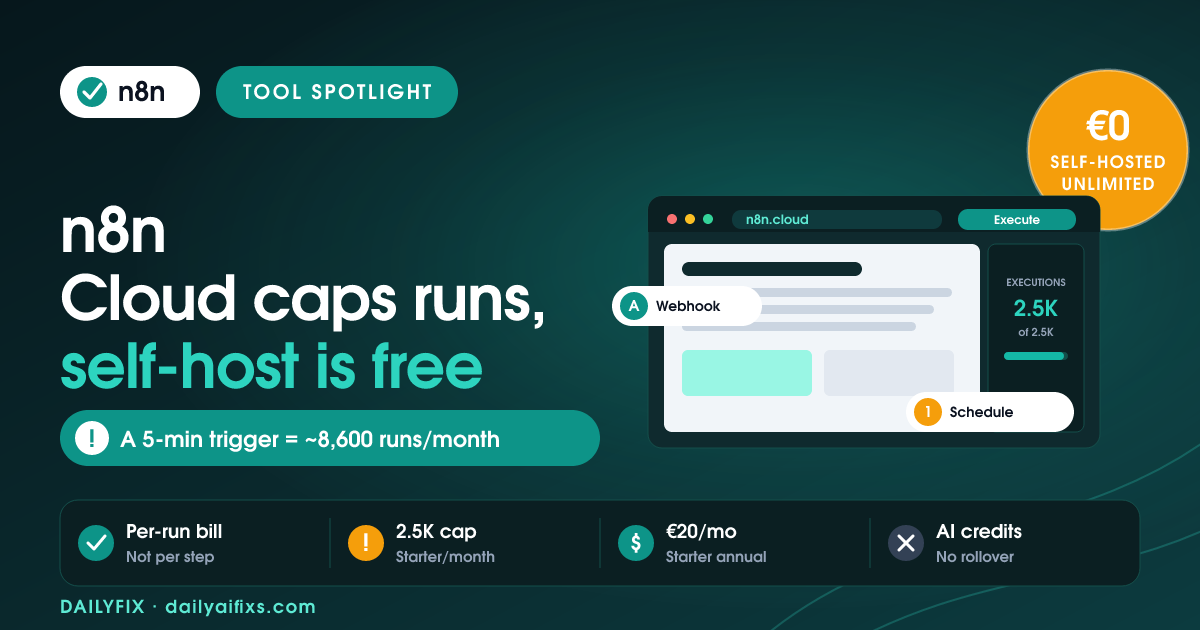
n8n pricing in 2026 is execution-based: the Cloud Starter plan is €20/mo billed annually for 2,500 workflow executions, Pro is €50/mo for 10,000, and Business is €667/mo for 40,000. The self-hosted Community Edition is free and open-source with unlimited executions — you pay only for a server. The catch: one workflow on a 5-minute schedule burns roughly 8,600 executions a month, blowing past both paid Cloud tiers.
We read n8n's official pricing page and its execution FAQ in July 2026. n8n's pricing is genuinely fairer than most automation tools because it charges per workflow run rather than per step. But the execution model has a sharp edge: high-frequency triggers rack up executions fast, and that is exactly where the free self-hosted option quietly wins.
How much does n8n cost in 2026?
n8n Cloud costs €20 per month for Starter, €50 for Pro, and €667 for Business, each billed annually, with Enterprise priced on request. n8n's pricing page shows annual billing saving 17% over monthly, so monthly rates are roughly €24 for Starter and €60 for Pro. Every plan includes unlimited users, unlimited workflows, and every integration — you are billed only on workflow executions.
An execution is one complete run of a workflow, start to finish, no matter how many steps or how much data it moves. A workflow with 3 nodes and a workflow with 40 nodes each count as a single execution per run. That is the core difference from tools that bill per "task" or "operation," where a 40-step workflow could cost 40 units every time it fires.
| Plan | Price (annual) | Executions / month | Concurrency | Hosting |
|---|---|---|---|---|
| Community Edition | Free + server cost | Unlimited | Your hardware | Self-hosted |
| Starter | €20/mo | 2,500 | 5 | Hosted by n8n |
| Pro | €50/mo | 10,000 | 20 | Hosted by n8n |
| Business | €667/mo | 40,000 | Higher | Self-hosted |
| Enterprise | Custom | Custom | 200+ | Either |
Prices and limits change often — verify on the official pricing page before deciding. Figures above are from n8n's pricing page as of July 2026, shown in euros as n8n lists them.
What is a workflow execution in n8n, and why does it matter?
A workflow execution in n8n is a single end-to-end run of one workflow, counted once regardless of how many nodes it contains. It matters because your entire n8n Cloud bill is driven by how many times your workflows run, not by how complex they are. Building bigger, smarter workflows costs nothing extra per run — but running the same small workflow more often costs you directly.
That flips the usual optimisation instinct. On per-step tools, you trim nodes to save money. On n8n, node count is free, so the lever that controls cost is trigger frequency. A workflow that runs once a day is 30 executions a month. The identical workflow on a 1-minute schedule is over 43,000 executions a month — past even the Business tier.
How many executions will I actually use?
Your execution count is driven almost entirely by trigger frequency, and n8n's own FAQ gives the math. A workflow on a daily schedule uses about 30 executions a month. A workflow triggered every 5 minutes uses roughly 8,600 to 8,900 executions a month. A webhook workflow uses one execution per triggering event, so its total equals how often that event fires.
The Starter-plan trap: Starter includes 2,500 executions a month.
A single workflow polling something every 5 minutes (~8,600 runs) exceeds Starter more than 3× over — on its own. Add a second frequent workflow and you are past Pro's 10,000 too.
Fix: use webhooks or event triggers instead of tight polling schedules, or self-host to remove the execution ceiling entirely.
Should I use n8n Cloud or self-host it?
Self-host n8n when execution volume is high or you are comfortable managing a small server; choose n8n Cloud when you want zero maintenance and predictable, low volume. The Community Edition is free, open-source, and imposes no execution limit — your only cost is the server it runs on, which can be a few dollars a month on a basic VPS. Cloud's value is that n8n handles hosting, updates, and uptime for you.
The honest rule of thumb: if your workflows fire frequently — polling schedules, chatbots, high-traffic webhooks — self-hosting saves real money because unlimited executions on a $5 server beats paying Pro's €50/mo and still hitting a ceiling. If you run a handful of low-frequency automations and never want to touch a server, Cloud Starter or Pro is worth the convenience. Business at €667/mo is a self-hosted plan aimed at companies needing SSO, Git version control, and 40,000 executions, not solo builders.
How do n8n's AI Assistant credits work?
n8n Cloud plans include a monthly allowance of AI Assistant credits — 2,300 on Starter and up to 13,700 on Pro — used when you build workflows with the in-app AI Assistant, currently in preview. The credits refresh monthly and do not roll over, and as of July 2026 you cannot buy additional credits, so heavy AI-Assistant users must upgrade tiers to get a larger allowance.
On self-hosted n8n the picture is different: the AI Assistant is listed as coming soon, and it will use your own API key. That means no credit limit applies — you pay your model provider directly for what you use, which again favours self-hosting for anyone leaning hard on AI-assisted building.
Is n8n worth it in 2026?
n8n is worth it in 2026 for anyone building real automations or AI agents, because the per-execution model is cheaper and more predictable than the per-step billing of most competitors, and the self-hosted edition removes usage limits for the cost of a small server. It is not the right pick if you want a fully hands-off tool and refuse to ever manage hosting — in that narrow case a simpler SaaS automation tool may suit you better.
For a solo builder or small team, the sweet spot is clear: start on the free 14-day Cloud trial to learn the tool, then either stay on Cloud Pro for convenience or move to a self-hosted Community instance once your execution counts climb. The decision is about how often your workflows run and whether you will manage a server — not about the sticker price.
Frequently asked questions
Is n8n free to use?
Yes. n8n's Community Edition is free and open-source, self-hosted, with unlimited workflow executions — you pay only for the server you run it on. n8n Cloud, the managed hosted version, is paid, starting at €20 per month billed annually for the Starter plan, though all Cloud plans include a 14-day free trial with no credit card required for Starter and Pro.
How much does n8n Cloud cost per month?
n8n Cloud costs €20 per month for Starter (2,500 executions), €50 for Pro (10,000 executions), and €667 for Business (40,000 executions), each billed annually. n8n's pricing page states annual billing saves 17% versus monthly, so paying month-to-month raises Starter to roughly €24 and Pro to roughly €60 per month. Enterprise pricing is custom.
What counts as an execution in n8n?
An execution in n8n is one complete run of a single workflow, counted once no matter how many nodes it contains or how much data it processes. A workflow with 40 steps costs the same one execution as a workflow with 3 steps. Your n8n Cloud bill depends on how many times workflows run, not on their complexity.
Why is my n8n execution count so high?
High execution counts almost always come from frequent triggers. Per n8n's own estimates, a workflow on a 5-minute schedule uses about 8,600 to 8,900 executions a month, versus roughly 30 for a daily schedule. Switching tight polling schedules to webhook or event-based triggers, or self-hosting for unlimited executions, is the usual fix.
Can I self-host n8n for free?
Yes. The n8n Community Edition is free, open-source software you can self-host with no execution limits. Your only cost is the server, which can run a few dollars a month on a basic VPS. Paid Business and Enterprise features like SSO and Git version control require a license key, but the core automation engine is free to self-host.
The bottom line
n8n pricing in 2026 rewards understanding one number: how often your workflows run. The per-execution model is fairer than per-step billing, but Cloud Starter's 2,500-execution cap is easy to blow through with frequent triggers. If your automations fire often, self-host the free Community Edition and pay only for a small server. If you run a few low-frequency workflows and never want to manage hosting, Cloud Pro is the convenient pick.
Sources checked July 2026: n8n official pricing page and execution/AI-credit FAQ (n8n.io/pricing), plus n8n documentation on self-hosting the Community Edition.




