
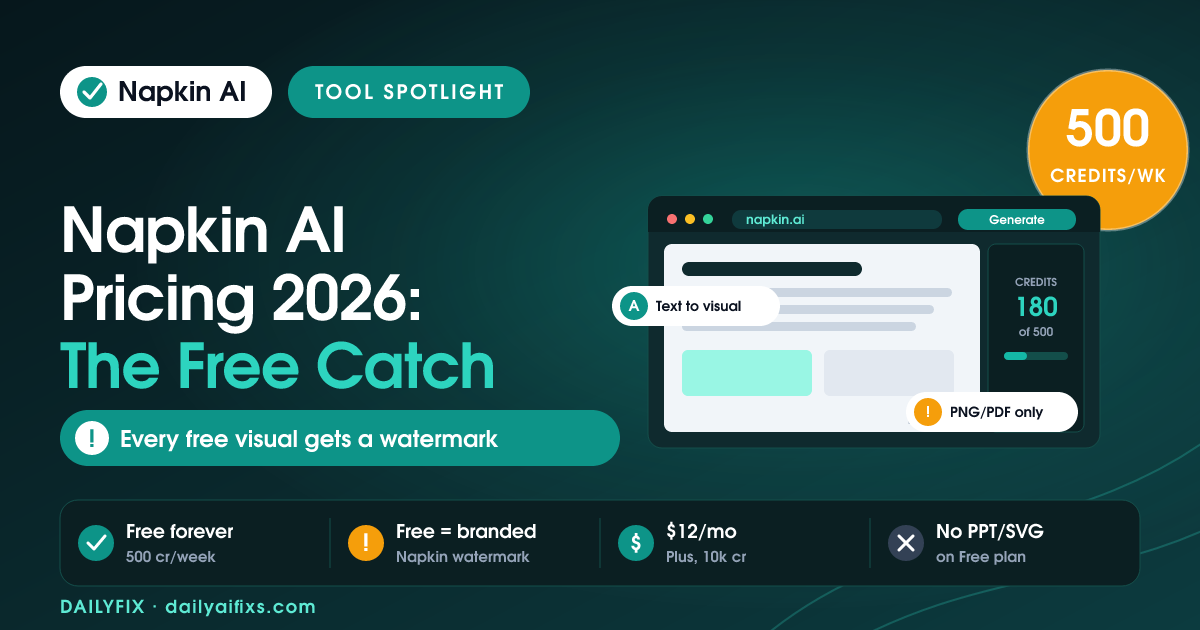
Napkin AI pricing in 2026 has three tiers: Free at $0 with 500 AI credits per week, Plus at $12 per person a month (about $9 billed annually) with 10,000 monthly credits, and Pro at $30 a month (about $22 annually) with 30,000 credits. Enterprise is a custom quote. The catch: the free plan stamps Napkin branding on every visual and only exports PNG and PDF, so professional, unbranded use starts at Plus.
Napkin AI turns plain text into diagrams, flowcharts, and infographics in seconds, which makes it a favorite for solopreneurs building decks, blog graphics, and social posts without a designer. You paste or write your text, select a passage, and Napkin generates visual options you can edit. The tool itself is fast and generous on the surface. The pricing question that matters is not the monthly fee. It is what the free plan quietly withholds. Based on Napkin AI's official pricing page as of July 2026, here is the full breakdown.
How much does Napkin AI cost in 2026?
Napkin AI costs $0 a month on Free, $12 per person a month on Plus, and $30 per person a month on Pro, with a custom-quoted Enterprise tier. Paying annually cuts 25 percent off the paid plans, which brings Plus to about $9 a month and Pro to about $22 a month. The plans are priced per person, so each teammate who accepts a workspace invite adds another seat to your bill.
The difference between tiers is credits plus export and branding rights. Free gives 500 AI credits per week. Plus lifts that to 10,000 credits a month, and Pro to 30,000 a month. Plus is the tier that removes the Napkin watermark and unlocks PowerPoint and SVG export. Pro adds unlimited custom branding, the ability to upload your own fonts, exclusive designs, and optional credit top-ups for heavy months.
| Plan | Price (monthly) | Price (annual) | AI credits | Watermark | PPT & SVG export |
|---|---|---|---|---|---|
| Free | $0 | $0 | 500 / week | Yes (branded) | No |
| Plus | $12/person | ~$9/person | 10,000 / month | Removed | Yes |
| Pro | $30/person | ~$22/person | 30,000 / month | Removed | Yes |
| Enterprise | Custom | Custom | Custom | Removed | Yes |
Prices and limits change often — verify on the official pricing page before deciding.
What is the catch with the Napkin AI free plan?
The Napkin AI free plan looks unlimited, but it withholds the two things professional use needs: an unbranded export and PowerPoint or SVG output. Every visual you make on Free carries Napkin branding, a small watermark that reads as amateur in a client deck, a paid report, or a published article. On top of that, Free only exports PNG and PDF. If you want to drop a diagram into a PowerPoint slide as an editable element, or export a crisp SVG for the web, that is a paid feature.
The 500 weekly credits are the second half of the catch. They reset each week and do not accumulate, so a quiet week is wasted rather than banked. For occasional visuals this is plenty. For anyone producing content regularly, the weekly reset and the watermark together push you to Plus faster than the headline "free forever" suggests. Free is a genuinely good trial and fine for personal notes; it is not a plan you can quietly run a business on.
How do Napkin AI credits actually work?
A Napkin AI credit is the unit that measures visual generation, and roughly one credit is charged per word of text you select to generate from. Select a 150-word paragraph to turn into a diagram and you spend about 150 credits for that generation. That word-based model means long, wordy source text burns credits quickly, while tight, punchy text stretches them further. Napkin states this rate may change in the future for more complex outputs or advanced features.
The buckets differ by plan in an important way. Free credits are 500 per week, resetting weekly. Paid credits are monthly: 10,000 on Plus and 30,000 on Pro. To picture the gap, 500 weekly credits is roughly 2,000 a month at best, while Plus gives five times that in one pool you can spend across the month. Pro triples Plus again to 30,000 and adds optional top-ups when you exhaust the allowance, so credit anxiety mostly disappears at the Pro tier.
| Plan | Credit allowance | Reset cycle | Top-ups | Roughly covers |
|---|---|---|---|---|
| Free | 500 credits | Weekly | No | A few visuals a week |
| Plus | 10,000 credits | Monthly | No | Steady content work |
| Pro | 30,000 credits | Monthly | Yes | Heavy or team output |
Prices and limits change often — verify on the official pricing page before deciding.
Which Napkin AI plan should a solopreneur pick?
For most solopreneurs, Plus at $12 a month is the correct choice, and the free plan is the right way to start. Free lets you confirm Napkin fits how you work before paying a rupee or a dollar. The moment you need a watermark-free visual in a client deck, a lead magnet, or a blog post, Plus is the upgrade that unlocks it, along with PowerPoint and SVG export, three brand styles, and 10,000 monthly credits that comfortably cover regular publishing.
Pro at $30 a month earns its price only for specific needs: unlimited custom branding so every visual matches your brand exactly, uploading your own fonts, access to exclusive designs, and credit top-ups for months when 10,000 is not enough. An agency producing client visuals at volume, or a creator whose brand consistency is the product, will use those. A solo operator making a handful of graphics a week will not, and should stay on Plus. Note there are no student or non-profit discounts, so annual billing at 25 percent off is the only lever to lower the price.
Frequently asked questions
How much does Napkin AI cost in 2026?
Napkin AI has three published tiers in 2026. Free costs $0 with 500 AI credits per week. Plus is $12 per person a month (about $9 a month billed annually) with 10,000 credits a month. Pro is $30 per person a month (about $22 a month annually) with 30,000 credits a month. Enterprise is a custom quote. Annual billing saves 25 percent.
What is the catch with the Napkin AI free plan?
The Napkin AI free plan puts Napkin branding on every visual you create and limits export to PNG and PDF only. Removing the watermark and exporting to PowerPoint or SVG both require a paid plan. Free also caps you at 500 AI credits per week, which reset weekly and do not roll over.
What is a Napkin AI credit?
A Napkin AI credit is the unit that measures visual generation, with roughly one credit charged per word of text you select to turn into a visual. Selecting a 200-word section to generate a diagram costs about 200 credits. Napkin notes this rate may change for more complex outputs or advanced features in the future.
Does Napkin AI offer student or non-profit discounts?
No. As of July 2026, Napkin AI does not offer discounts for students or non-profits. The company positions its free plan, with 500 weekly credits, as the option for lightweight or budget users. The only standing discount is 25 percent off paid plans when you pay annually instead of monthly.
Can I use Napkin AI visuals commercially on the free plan?
You can export free visuals as PNG or PDF, but they carry the Napkin watermark, which looks unprofessional in client decks, reports, or published content. To publish clean, unbranded visuals and export to PowerPoint or SVG, you need the Plus plan at $12 a month or higher. Your content stays yours regardless of plan.
Should a solopreneur pick Napkin AI Plus or Pro?
For most solopreneurs, Plus at $12 a month is the right pick. It removes the watermark, unlocks PowerPoint and SVG export, adds 3 brand styles, and gives 10,000 monthly credits, which covers steady visual work. Pro at $30 a month is worth it only if you need unlimited custom branding, uploaded fonts, exclusive designs, or credit top-ups.
The bottom line
Napkin AI is one of the fastest text-to-visual tools available in 2026, and its free plan is a real, usable trial rather than a demo. But the "free forever" label hides the watermark on every visual and the PNG-and-PDF-only export ceiling, which together make Free unfit for professional publishing. Start on Free to test the fit, then move to Plus at $12 a month the moment you need clean, unbranded visuals in real work. Reserve Pro for heavy branding and volume. Budget for Plus, not the free tier, and Napkin earns its place in a solopreneur's toolkit.
Sources: Napkin AI official pricing page (napkin.ai/pricing) and SoftwareSuggest's Napkin AI pricing listing, retrieved July 2026. Figures verified as of July 2026 — check the official pricing page before deciding.




