
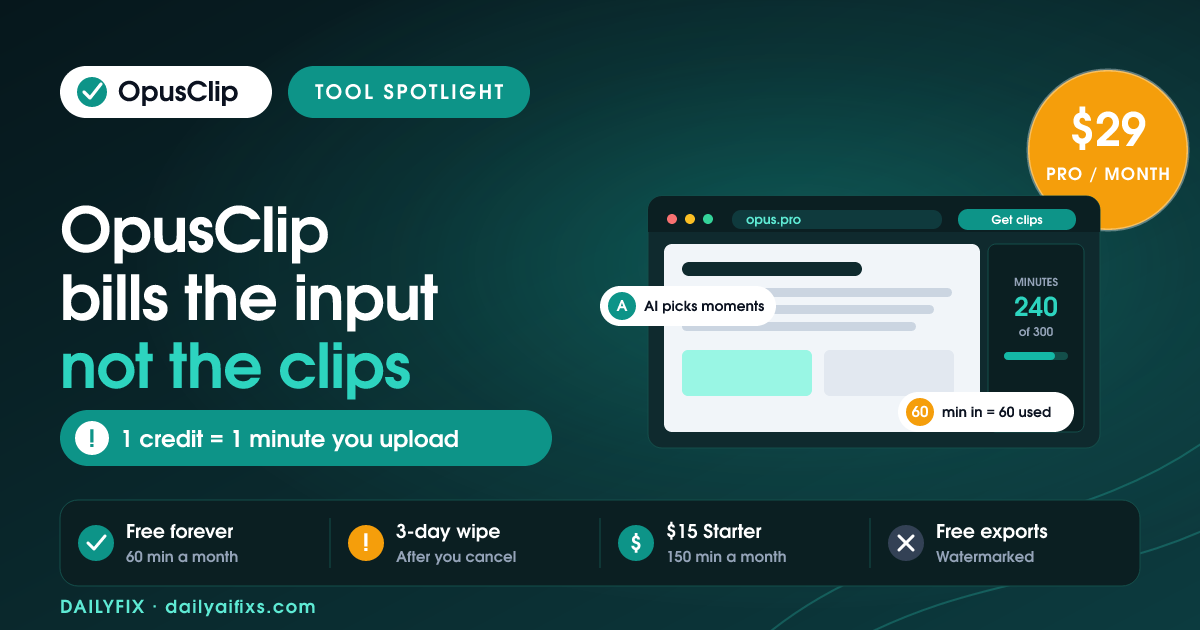
OpusClip pricing in 2026 runs $0 for Free, $15 a month for Starter, $29 a month for Pro and custom pricing for Business, with Pro also sold at $174 a year. The detail that decides your real cost is the credit rule: one credit equals one minute of source video you upload, not one clip OpusClip hands back. Upload a 60-minute podcast and you spend 60 credits whether it returns 5 clips or 15.
OpusClip is an AI video clipping tool: you paste a YouTube link or upload a long recording, and the AI picks the strongest moments, reframes them vertically and burns in captions. The company claims 16 million creators. The product works well on spoken-word content. The pricing is where people get surprised, and almost every surprise traces back to that one input-based credit rule.
How much does OpusClip cost in 2026?
OpusClip costs $0 on Free, $15 a month on Starter, $29 a month on Pro and custom pricing on Business, verified against the official OpusClip pricing page in July 2026. Free includes 60 processing minutes a month with watermarked exports. Starter includes 150 minutes watermark-free. Pro includes 300 minutes plus a social scheduler and team workspace. Only Pro offers annual billing.
| Plan | Price | Processing minutes/month | Storage | Aspect ratios | AI B-Roll |
|---|---|---|---|---|---|
| Free | $0 | 60 | 3-day expiry | 9:16 only | None |
| Starter | $15/mo (monthly only) | 150 | 29-day expiry | 9:16, 1:1 | 3 stock clips/month |
| Pro | $29/mo or $174/year | 300 (3,600/year on annual) | 100 GB | 9:16, 1:1, 16:9 | 50 clips/day |
| Business | Custom quote | Custom | Unlimited | 9:16, 1:1, 16:9 | 50 clips/day |
Prices and limits change often — verify on the official pricing page before deciding.
How do OpusClip credits actually work?
One OpusClip credit equals one minute of source video processed, so the bill is set by what you upload, not by what you publish. A 45-minute interview costs 45 credits even if you only keep two clips from it. Videos under one minute cost a one-credit minimum. Partial minutes round down, so a 4.5-minute upload costs 4 credits, not 5.
There is one extra charge worth knowing about. Publishing a clip straight to X through OpusClip costs 1 additional credit per post, refunded automatically if the post fails to send. That is small, but it means the scheduler is not free to use at volume.
The rule matters because it inverts how most creators estimate cost. You do not budget by "I want 20 clips this month." You budget by "I will feed OpusClip 240 minutes of raw video this month." A weekly show with 60-minute episodes needs 240 credits monthly. Starter's 150 minutes covers two and a half episodes. Pro's 300 covers four with an hour to spare.
What does the OpusClip free plan actually give you?
The OpusClip free plan is permanent rather than a timed trial, requires no credit card, and grants 60 processing minutes a month plus AI captions and one brand template. Every export carries an OpusClip watermark. Clips are deleted from storage after 3 days. Output is locked to 9:16 vertical. The editor, the virality score and social posting are all unavailable on Free.
Treat the free plan as a compatibility test, not a workflow. Sixty minutes is one full-length podcast or four 15-minute recordings. That is enough to answer the only question that matters before you pay: does the AI pick good moments out of your kind of content? OpusClip is strongest on talking-head, interview and podcast footage. On cinematic, branded or heavily edited source material, clip selection gets noticeably less reliable.
Is OpusClip Starter or Pro the better buy?
OpusClip Starter at $15 a month suits a solo creator posting to one or two vertical platforms under 150 source minutes monthly. OpusClip Pro at $29 a month suits anyone who needs landscape output, scheduling, real AI B-Roll or a second seat. The $14 gap buys a genuinely different product, not just more minutes, which is why the Starter tier draws the loudest complaints.
Here is what Starter leaves locked: 16:9 landscape output, social scheduling, bulk export, XML export to Adobe Premiere Pro and DaVinci Resolve, team workspace, and meaningful AI B-Roll. Starter gives 3 stock B-Roll clips a month; Pro gives 50 AI-generated B-Roll clips a day. One Product Hunt reviewer described Starter as "giving you 150 tokens to walk into a buffet, but every plate costs extra." That is harsh, but it accurately describes what is gated.
Run the arithmetic before choosing. At 300 minutes for $29, OpusClip Pro costs roughly $0.097 per source minute — about ten cents a minute of raw footage. Against two or three hours of manual editing per episode, that is defensible for most solo operators. Against a Starter plan you keep hitting the ceiling on, it is cheaper than the frustration.
What are the OpusClip billing traps to watch?
Four OpusClip billing behaviours catch paying users regularly, and all four appear across Trustpilot reviews and the company's own help documentation. Projects vanish 3 days after cancellation. Monthly credits expire 60 days from purchase. Downgrading to Free is blocked while more than 30 credits remain. And OpusClip sends no renewal reminder before charging the card.
The cancellation rule is the expensive one. Cancel an OpusClip subscription and every project becomes inaccessible 3 days later, even with unused credits sitting in the account. One Trustpilot reviewer in March 2026 put it plainly: "Even if you use the credits that you PAID for, once your subscription ends, the projects will vanish." Download everything before the subscription lapses, not after.
Credit expiry catches the second group. Monthly plan credits expire 60 days from purchase rather than at the calendar month end, and OpusClip shows no expiry reminder inside the product. Annual Pro shifts that window to 12 months and grants all 3,600 credits upfront, which is the real argument for annual billing beyond the price — a quiet January no longer wipes out your budget.
How does OpusClip scale for a small team?
OpusClip Pro scales through packs rather than seats sold individually. Each pack adds 300 processing minutes and 2 team seats per month. A Pro plan accepts a maximum of 2 additional packs, capping out at 900 processing minutes and 6 team members. Standalone credits cannot be bought on their own — extra capacity always arrives bundled with seats.
Pack pricing is not published on the OpusClip pricing page. It appears only after clicking "Add more packs" inside subscription settings. Adding a pack also restarts the billing cycle immediately and charges the full pack price upfront, while removing a pack waits until the end of the current period. If your team consistently needs more than 900 minutes or more than 6 seats, Business is the honest path rather than stacking packs.
Do OpusClip users actually rate it well?
OpusClip review scores split sharply by plan. G2 rates it 4.6 out of 5 across 118 reviews, Trustpilot sits at 4.0 out of 5 across 302 reviews with 22% of those being 1-star, and Capterra's smaller sample gives 3.6 out of 5 with Value for Money scored at 3.4. Positive reviews cluster on Pro; negative reviews cluster on billing friction and the Starter paywall.
The praise is consistent and specific: strong moment selection on spoken content, accurate captions that need little correction, and clip production measured in minutes instead of hours. The criticism is equally consistent — billing surprises, a framing and split-screen quality regression that users trace to a mid-2024 editor update, and a cancellation flow several reviewers called deliberately awkward.
Frequently asked questions
How much does OpusClip cost in 2026?
OpusClip has four tiers as of July 2026: Free at $0 with 60 processing minutes a month, Starter at $15 a month with 150 minutes, Pro at $29 a month with 300 minutes, and Business at custom pricing. Pro is the only plan with annual billing, at $174 a year. Starter is monthly-only. Free exports carry an OpusClip watermark.
How do OpusClip credits actually work?
One OpusClip credit equals one minute of source video processed, not one clip produced. A 60-minute podcast costs 60 credits whether OpusClip returns five clips or fifteen. Videos under one minute cost a one-credit minimum, and partial minutes round down, so a 4.5-minute upload costs 4 credits. Posting a clip to X costs one extra credit.
Is the OpusClip free plan actually free?
The OpusClip free plan is a permanent tier, not a trial, and needs no credit card. It gives 60 processing minutes a month, AI captions and one brand template. The limits are real though: every export carries a watermark, clips are deleted after 3 days, output is 9:16 only, and the editor, virality score and social posting stay locked.
What happens to OpusClip projects if you cancel?
OpusClip projects become inaccessible 3 days after a subscription ends, even when unused credits remain on the account. Download every clip you want to keep before cancelling. Unused credits keep their original expiry date but cannot process new video after cancellation. Monthly credits expire 60 days from purchase; annual credits last 12 months.
Is OpusClip Pro worth $29 a month?
OpusClip Pro at $29 a month is worth it if you publish talking-head or podcast clips weekly across more than one platform. Pro adds 300 minutes, all three aspect ratios, AI B-Roll at 50 clips a day, a six-platform scheduler and XML export. At 300 minutes that works out near $0.097 per source minute. Occasional posters should stay on Starter.
Can you buy extra OpusClip credits on their own?
OpusClip does not sell standalone credits. Extra capacity comes only as packs on the Pro plan, and each pack adds 300 processing minutes plus 2 team seats. Pro accepts a maximum of 2 extra packs, capping the plan at 900 minutes and 6 seats. Pack pricing is not published publicly and only appears inside subscription settings.
The bottom line
Budget OpusClip by the hours of raw video you record each month, not by the clips you want out, because one credit buys one minute of input regardless of output. Test on Free first to confirm the AI reads your content type, then jump straight to Pro at $29 if you post weekly across platforms — Starter's locked editor tends to push consistent creators upward within a month anyway. If you commit for a year, take the $174 annual Pro plan for the 12-month credit window. And whenever you do leave, download every clip before the subscription ends. That 3-day deletion window does not bend.
Pricing and limits verified against the official OpusClip pricing page and help centre in July 2026, alongside published G2, Trustpilot, Capterra and Product Hunt reviews.




