
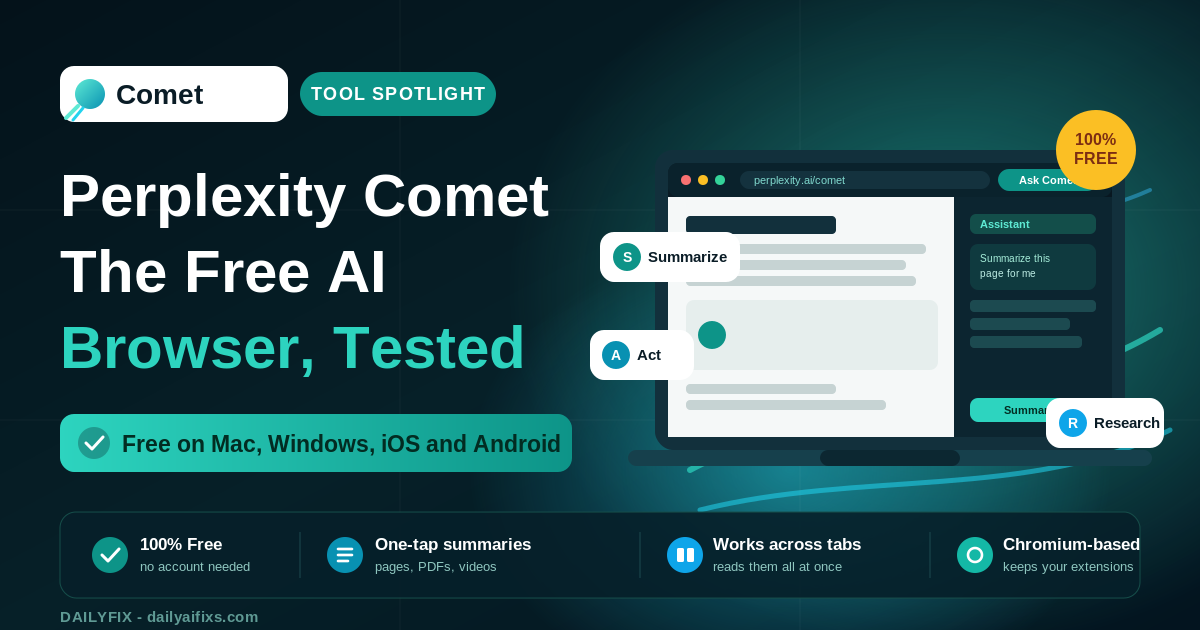
Perplexity Comet is worth downloading in 2026 because it's free on every platform and its built-in AI assistant does real work: it summarizes pages, searches across tabs, and completes tasks like booking or drafting emails. For a solopreneur, it's a free research and admin helper. It's not yet worth trusting with high-stakes actions unsupervised, since the agent is still rough around the edges.
Comet launched in mid-2025 as a $200-per-month luxury and spent the last year going free across Mac, Windows, iOS, and Android. That flip from premium to free is why everyone is suddenly testing it. Below is a plain breakdown of what Comet costs now, what its AI assistant actually does, the privacy catch worth knowing, and an honest verdict, based on Perplexity's official pages and independent reviews as of July 2026.
What is Perplexity Comet and how does it work?
Perplexity Comet is an AI-native web browser built by Perplexity that embeds an AI assistant into every page you visit. Instead of returning a list of links, Comet reads the page with you: it summarizes, answers questions, works across your open tabs, and can take actions on your behalf. It's built on Chromium, the open-source core behind Chrome, so it feels familiar from the first click.
Because Comet runs on Chromium, it imports your Chrome bookmarks, saved passwords, and most extensions. The difference is the assistant sitting in the sidebar, always aware of what you're looking at, ready to summarize, compare, or act without you switching windows.
Is Perplexity Comet free in 2026?
Yes, Perplexity Comet is free in 2026. It's free to download and use on Mac, Windows, iOS, and Android, and no account is required for basic browsing. Comet went free worldwide on October 2, 2025, four months after launching as a $200-per-month product limited to Perplexity's top Max tier. The free version includes the core AI features.
The free tier is not a stripped demo. It ships with the AI assistant, one-click page summarization, agentic search, voice mode, shopping help, and Deep Research from inside the browser. For most solopreneurs, the free version covers everything they'd actually use day to day.
How much do Comet's paid plans cost?
Comet's core browsing costs nothing. Paid tiers add extras: Comet Plus is $5 per month for premium publisher content, Perplexity Pro is $20 per month and unlocks all AI features plus Comet Plus, the Max plan is $200 per month for autonomous background assistants, and Enterprise starts at $40 per seat per month with device management and SOC 2 compliance.
| Plan | Price | What you get |
|---|---|---|
| Free | $0 | AI assistant, summaries, agentic search, voice, Deep Research |
| Comet Plus | $5/mo | Premium publisher content added to results |
| Perplexity Pro | $20/mo | All AI features, higher limits, Comet Plus included |
| Max | $200/mo | Autonomous background assistants running tasks hands-free |
| Enterprise | from $40/seat/mo | Device management, SOC 2, security integrations |
Prices and limits change often — verify on the official pricing page before deciding. Figures above are from Perplexity's pages and reporting as of July 2026.
For a solopreneur, the honest read is simple: start on free. The only reason to pay is if you already want Perplexity Pro's higher AI limits for research, in which case Comet Plus rides along at no extra cost. The $200 Max plan is aimed at power users who want the browser working while they sleep.
What can Comet's AI assistant actually do?
Comet's assistant summarizes any page with one shortcut, answers questions about what you're reading, and works across all your open tabs at once. Beyond reading, it acts: it can compare products while shopping, fill forms, draft and send emails, book meetings from your calendar, and run Deep Research reports without you leaving the page. Voice mode lets you ask hands-free.
Summarize (Alt+S): one shortcut condenses an article, YouTube video, PDF, or long thread into a few lines. The most consistently praised feature.
Work across tabs: ask it to pull the three cheapest options from five open supplier tabs, and it reads all of them at once.
Take actions: it can draft replies, fill checkout forms, and book calendar slots, turning browsing into doing.
For a one-person business, the practical wins are research and admin. Comparing tools, digesting long reports, and drafting routine replies are exactly the tasks that eat an afternoon, and Comet trims them to minutes at no cost.
What's the catch with Perplexity Comet?
The catch is trust, not price. An agentic browser can act inside your logged-in accounts, so a wrong move means a real email sent or a real form submitted. Independent reviewers who tested Comet for weeks in 2026 call it useful but rough, and advise not letting it complete anything you can't afford to redo. Supervise its actions before confirming.
The common mistake is handing Comet a high-stakes task and walking away. Don't. Let it draft the email, then read it before sending. Let it fill the form, then check the fields before you submit. Used as a fast first draft that you approve, Comet is a genuine time-saver; used as a blind autopilot, it will eventually cost you a cleanup.
Is Perplexity Comet worth switching to?
Perplexity Comet is worth installing today, and worth switching to slowly. It's free, runs on Chromium, and imports your Chrome setup, so trying it costs nothing but a download. Reviewers who ran it as their main browser for two weeks found it fast enough to live in and genuinely useful for research and cross-tab work.
The sensible approach in 2026 is to run Comet as your daily research and admin browser while keeping Chrome installed for critical, high-stakes logins until you trust the agent fully. For a solopreneur who spends hours a day researching, comparing, and drafting, a free assistant baked into the browser is one of the easiest time-savers to adopt right now.
Frequently asked questions
Is Perplexity Comet free in 2026?
Yes. Perplexity Comet is free to download and use on Mac, Windows, iOS, and Android, with no account needed for basic browsing. It went free worldwide on October 2, 2025, after launching at $200 per month. The free version includes the AI assistant, page summarization, agentic search, voice mode, and Deep Research.
How much do Comet's paid plans cost?
Comet's core browsing is free. Comet Plus adds premium publisher content for $5 per month. Perplexity Pro at $20 per month unlocks all AI features and includes Comet Plus. The $200 per month Max plan adds autonomous background assistants that run tasks hands-free. Enterprise pricing starts at $40 per seat per month.
What can the Comet AI assistant do?
Comet's assistant summarizes any page with one shortcut, works across open tabs, answers questions about what you're viewing, and takes actions like booking meetings, filling forms, comparing products, and drafting emails. It also runs Deep Research and voice queries. It handles user-initiated tasks across tabs, apps, and web workflows without switching windows.
Is Perplexity Comet safe to use?
Comet is built on Chromium, the same open-source base as Chrome, so it supports most Chrome extensions and standard security features. The bigger caution is trust: an agentic browser can act on your accounts, so reviewers advise not letting it complete anything you can't afford to redo. Review its actions before confirming payments or sending messages.
Can Comet replace Chrome?
Comet can replace Chrome for many people because it runs on Chromium and imports bookmarks, passwords, and extensions. Reviewers who used it as their main browser for two weeks found it fast enough to live in. It is still rough in places, so keeping Chrome installed as a backup for critical, high-stakes tasks is sensible in 2026.
Is Perplexity Comet worth it for solopreneurs?
Yes, because it is free and the built-in assistant removes real busywork: summarizing long research, comparing suppliers, drafting replies, and pulling data across tabs. For a one-person business, that saves an hour or more a week at zero cost. Treat it as a research and admin tool, and verify anything it drafts before sending.
The bottom line
Perplexity Comet is the rare AI tool that's both trending and free, and for a solopreneur that combination is hard to beat. Download it, import your Chrome setup, and let the assistant handle summaries, research, and first-draft admin while you keep the final say. Skip the paid tiers unless you already want Perplexity Pro. As a free research browser you supervise, Comet earns its place on your machine in 2026.




