Pictory AI Pricing 2026: The AI Credit Catch
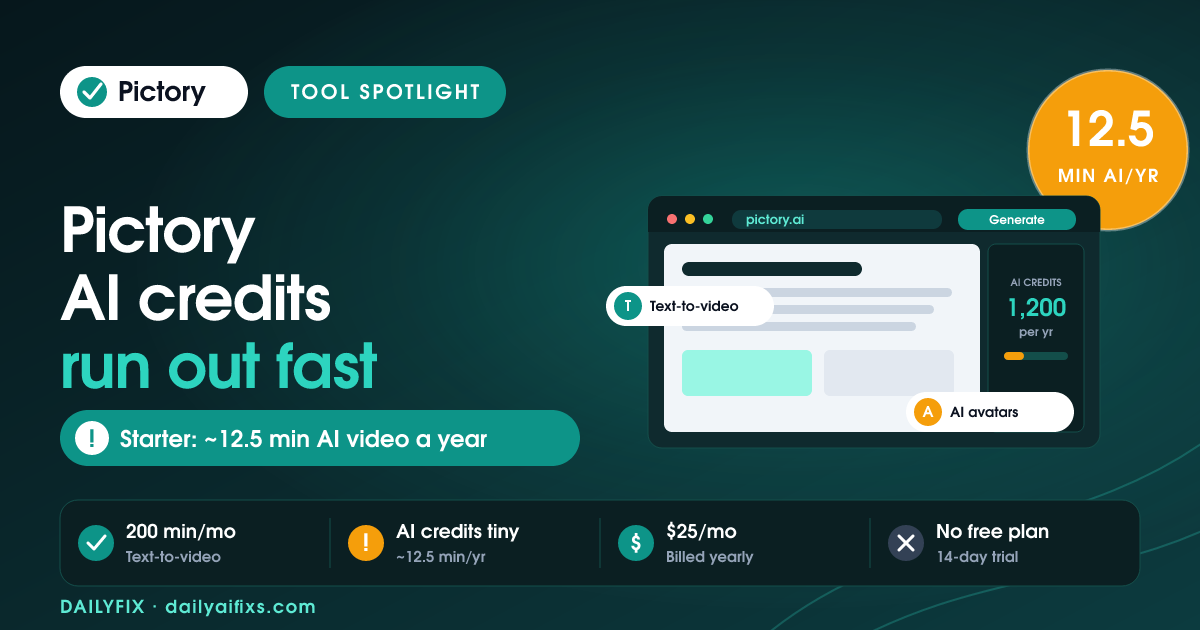
Pictory AI pricing in 2026 has no free plan and starts at $25 per month for Starter, billed annually. The catch is that Pictory runs on two separate budgets. Video minutes for turning scripts and articles into video are generous, but AI credits for generative images, video, and avatars are tiny — Starter's 1,200 credits a year buy only about 12.5 minutes of AI video for the whole year.
Pictory is one of the most popular tools for turning written content into short video, which makes it a favorite with solopreneurs and small marketing teams. The pricing looks simple on the surface, but there are two meters running, and confusing them is how people burn through their allowance in a week. This is the DailyFix breakdown, based on Pictory's official pricing page as of July 2026 and recent independent reviews.
How much does Pictory cost in 2026?
Pictory costs $25 per month for Starter, $35 for Professional, and $119 for Teams, all billed annually, with a custom-priced Enterprise tier. There is no free plan — only a 14-day trial with 3 projects. Monthly billing costs more on every tier, and much more on the higher plans: Professional jumps to $59 and Teams to $199 if you pay month to month.
The headline number most people see is "$25/month," but that assumes a full year paid upfront. Pay monthly and Starter is $29, Professional is $59 (up from $35), and Teams is $199 (up from $119). That is roughly 68% more on Professional and Teams, so an annual commitment is effectively the price of admission for reasonable value.
What do you get on each Pictory plan?
Each Pictory plan raises two things at once: video minutes and AI credits. Video minutes power the core text-to-video and script editing. AI credits power generative features — AI images, AI video clips, and talking-head avatars. The table below shows the real 2026 figures from Pictory's pricing page, with both meters side by side so the gap is obvious.
| Plan | Price (billed annually) | Video minutes | AI credits | Roughly buys |
|---|---|---|---|---|
| Starter | $25/mo ($29 monthly) | 200 / month | 1,200 / year | ~12.5 min AI video/yr |
| Professional | $35/mo ($59 monthly) | 600 / month | 12,000 / year | ~125 min AI video/yr |
| Teams | $119/mo ($199 monthly) | 1,800 / month | 28,800 / year | ~300 min AI video/yr |
| Enterprise | Custom | Custom | Custom | Custom |
Prices and limits change often — verify on the official Pictory pricing page before deciding. Figures retrieved July 2026. Annual plans also include 60–240 minutes of ElevenLabs AI voices depending on tier, and all paid plans remove the watermark.
What is the AI credit catch on Pictory Starter?
The AI credit catch is that Starter's 1,200 credits a year is a tiny generative budget, even though its 200 monthly video minutes look generous. On Starter, those 1,200 credits translate to roughly 12.5 minutes of generative AI video or about 40 minutes of AI avatar video — for the entire year, not per month. Run a few AI-video experiments and the credits are gone.
The reason this trips people up is that the two meters look similar but behave differently. Turning your own blog post or script into a video with stock footage draws on video minutes, which refill every month and rarely run dry. Generating brand-new AI footage or an AI avatar host draws on AI credits, which are metered by the year and burn fast. If your channel depends on generative AI video, Starter's credit budget is the real ceiling, and Professional — which jumps AI credits from 1,200 to 12,000 a year — is the plan that actually fits.
Is Pictory worth it for a solopreneur in 2026?
For a solopreneur repurposing written content into video, Pictory Starter at $25 per month billed annually is worth it, because the 200 monthly video minutes cover a steady posting schedule. The value case is strong for script-to-video, faceless YouTube clips, and social cutdowns, where you supply the words and Pictory handles the editing, captions, and stock footage.
We weighed the honest trade-off from a solo creator's seat. Pictory earns its keep when your workflow is text in, edited video out, and you are not leaning on generative AI footage. The moment your plan depends on AI-generated video or avatars, Starter stops being cheap — the 1,200-credit ceiling forces a jump to Professional at $35 per month. Budget for the meter you will actually stress, not the one with the biggest number on the pricing page.
How does Pictory pricing compare to other video AI tools?
Pictory sits in the affordable middle of AI video tools in 2026, priced for text-to-video rather than avatar-heavy production. At $25 to $35 per month, Starter and Professional undercut avatar-first platforms, whose per-minute credit costs climb quickly once you generate talking-head video. Pictory's edge is turning existing writing into watchable video cheaply; its weakness is the same generative-credit ceiling those pricier tools are built around.
The deciding question is what kind of video you make. If most of your output is script-to-video with stock footage and captions, Pictory's generous video-minute budget makes it one of the better-value picks. If most of your output is AI avatars or fully generated scenes, the credit math flips, and a tool built around avatar minutes may cost less per finished video despite a higher sticker price.
Frequently asked questions
Does Pictory have a free plan in 2026?
Pictory does not have a free plan in 2026. It offers a 14-day free trial that includes 3 full projects with all features unlocked, but after the trial you must pick a paid plan. The cheapest paid plan is Starter at $25 per month billed annually, or $29 per month on monthly billing.
What are Pictory video minutes versus AI credits?
Pictory splits your allowance into two budgets. Video minutes cover the core text-to-video and script-to-video editing, and they are generous — 200 minutes a month on Starter. AI credits are separate and cover generative images, generative video, and AI avatars. On Starter you get 1,200 AI credits per year, which is a much smaller budget.
How far do Pictory AI credits actually go?
Pictory AI credits run out fast for generative work. On the Starter plan, 1,200 AI credits per year buy roughly 12.5 minutes of generative AI video or about 40 minutes of AI avatar video for the entire year. Text-to-video from your own scripts does not touch AI credits, so the cap mainly hits heavy generative users.
Is Pictory cheaper billed annually or monthly?
Pictory is much cheaper billed annually. Professional is $35 per month billed annually versus $59 on monthly billing, and Teams is $119 versus $199 — roughly 68% more to pay monthly. Starter has the smallest gap at $25 annually versus $29 monthly. Annual billing is effectively required for good value.
Which Pictory plan is best for a solopreneur?
For most solopreneurs turning blogs or scripts into videos, Pictory Starter at $25 per month billed annually is enough, since its 200 monthly video minutes are generous. Upgrade to Professional at $35 per month only if you lean on generative AI video and avatars, because that plan raises AI credits from 1,200 to 12,000 per year.
The bottom line
Pictory in 2026 is good value for one job: turning writing into video. Starter at $25 per month billed annually gives you plenty of video minutes for a regular posting schedule. Just watch the second meter — the AI credits for generative video and avatars are small on Starter, and heavy generative use forces the jump to Professional. Match the plan to the meter you will actually push, and Pictory is one of the cheaper ways to keep publishing video.