
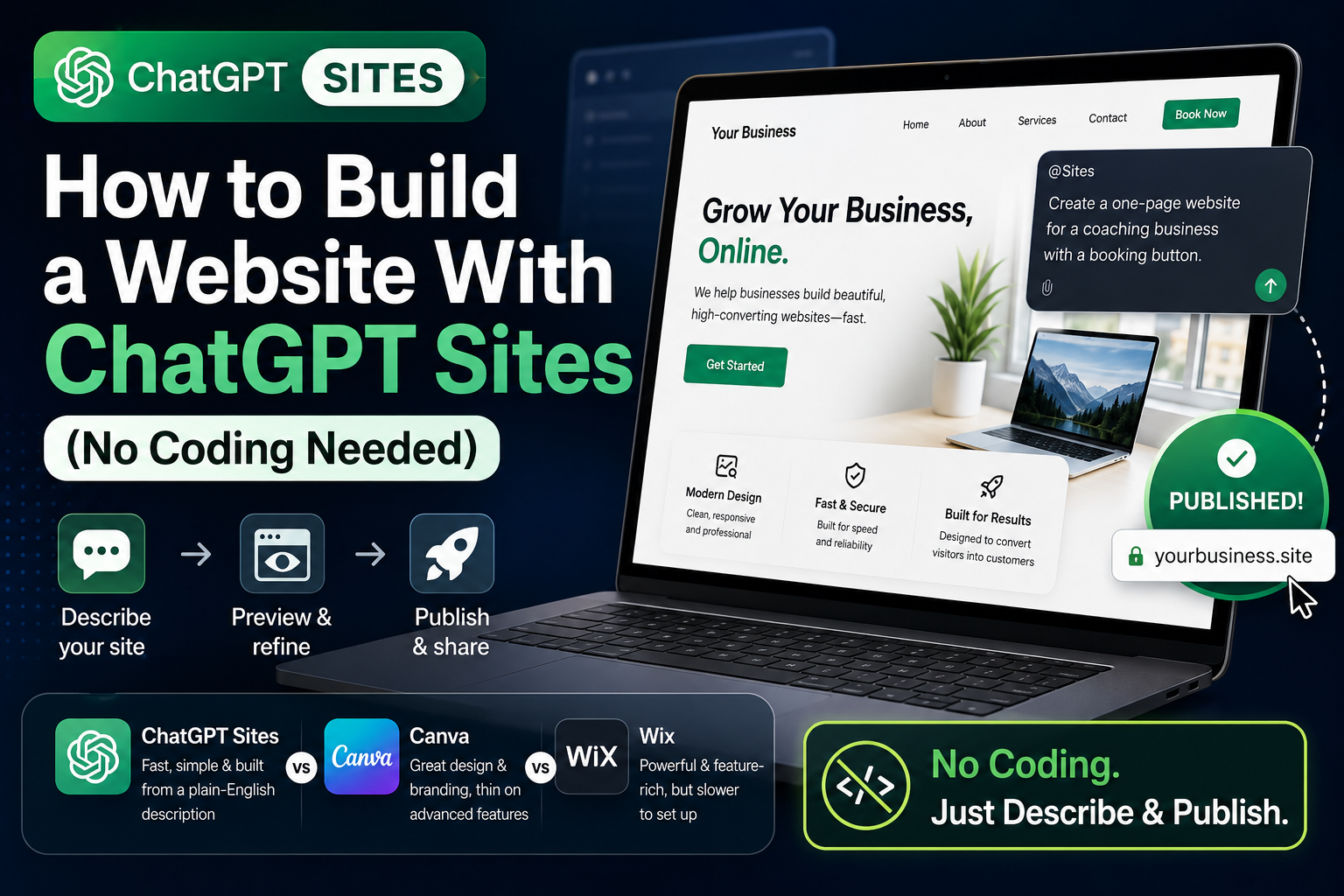
If you've ever asked ChatGPT to help with your business and wished it could just build the thing instead of describing it, OpenAI just gave you that option. It's called ChatGPT Sites, and as of this month it's rolling out to paid ChatGPT plans as a way to go from a text description straight to a live, published website. No drag-and-drop editor, no separate hosting account, no code.
Here's exactly what it does, who can use it today, and where it actually falls short compared to tools like Wix or Canva.
What Is ChatGPT Sites, Exactly?
ChatGPT Sites is a built-in feature that lets you create, preview, publish, and share a website or lightweight web app without leaving your ChatGPT conversation. You describe what you want — a landing page, a project tracker, a simple booking page, an internal tool for your team — and ChatGPT generates it, shows you a private preview, and lets you keep refining it in plain English until you're happy. When it's ready, you publish it and get a live URL you can share.
It launched as part of a broader July 2026 update that also brought ChatGPT Work (an agent mode for longer research and document tasks), the new GPT-5.6 model family, and a desktop app that folds Chat, Work, and Codex into one window. Sites is the part of that update aimed squarely at people who aren't developers but need something functional online fast.
Worth noting: this is still labeled a public beta. That means the feature set, limits, and even which plans get access could shift over the next few months. If you build something you plan to rely on long-term, keep a copy of your content somewhere else too, just in case.
Who Can Actually Use It Right Now?
This matters, because not everyone has access yet. A few things to check before you get your hopes up:
- Plan requirement: Sites is in public beta on paid ChatGPT plans. It is not available on the Free plan or the low-cost Go plan.
- Region: It isn't accessible yet in the EEA, Switzerland, or the UK, so if you're outside the US and it's missing from your app, that's likely why.
- Where to find it: You build Sites from ChatGPT Work on the web, or from Work/Codex inside the new desktop app — not from a regular chat on the free tier.
If you're on a paid plan in an eligible region, you don't need to hunt for a special menu. Just describe what you want, or start your prompt with @Sites to make sure ChatGPT treats it as a site-building request instead of a plain answer.
How Do You Build a Site With ChatGPT Sites? (Step by Step)
- Open ChatGPT Work on the web or in the desktop app, since Sites lives inside that mode.
- Describe the site in detail. Don't just say "build me a website." Tell it who the site is for, what pages or sections it needs, what action you want visitors to take, and any content, files, or links it should pull from.
- Review the private preview. ChatGPT generates a working draft only you can see at first.
- Ask for changes in plain language. "Make the button green," "add a contact form," "shorten the intro" — it revises the live preview rather than making you edit code.
- Publish when you're happy. This generates a public Site URL you can share immediately.
- Connect a custom domain, if you want one. This only works if you already own the domain and can change its DNS settings — ChatGPT Sites won't register a new domain for you.
The whole loop — describe, preview, revise, publish — usually takes less time than filling out a Wix onboarding wizard, especially for something simple.
What Can You Actually Build With It?
OpenAI is positioning Sites less as a website builder and more as a way to turn an idea into something usable in minutes. Realistic use cases include:
- A one-page landing site for a service business (think: a simple version of what SwiftSite-style agencies charge for)
- An internal project tracker or launch calendar for a small team
- A quick client-facing dashboard or report
- A prototype you want to test before paying a developer to build the real thing
- A lightweight internal portal — think a shared resource page, not a full intranet
What it's not built for: full e-commerce stores, complex multi-page sites with a blog, forum, and membership area, or anything that needs deep third-party app integrations. That's still Wix or Squarespace territory.
Here's a scenario that shows where it fits: say you run a small physiotherapy clinic and want a one-page site where patients can see your hours, read a short bio, and click through to book an appointment. That's a ten-minute job in ChatGPT Sites. Now compare that to building a booking system with recurring appointments, staff calendars, and payment collection — that's a different tool, and probably a different budget, entirely.
ChatGPT Sites vs Canva vs Wix: Which One Should You Actually Use?
| Tool | Best for | Where it falls short |
|---|---|---|
| ChatGPT Sites | Fast, simple pages and internal tools built from a plain-English description | Not built for complex, multi-page, e-commerce-heavy sites |
| Canva | Design-forward single pages, social-ready visuals, consistent branding | Thin on features for complex site structures or online stores |
| Wix | Full-featured multi-page sites — e-commerce, blogs, forums, loyalty programs | Slower to set up, steeper learning curve, and paid tiers add up fast |
If you need something live today and it's genuinely simple, use ChatGPT Sites. If the site is the face of your business and needs to look polished with minimal effort, Canva's templates still win on visual quality. If you're running an online store or a site with real complexity, don't fight the tool — go straight to Wix or a proper developer.
The Mistake Most Beginners Make With It
The biggest mistake we see: people try to push Sites into building something it was never meant to handle, like a full online store with payment processing, inventory, and customer accounts. It'll attempt it, the result will look half-finished, and you'll waste an afternoon. Use Sites for what it's actually good at — fast, simple, single-purpose pages — and hand anything with real complexity to a dedicated platform or a developer from day one.
Frequently Asked Questions
Do I need a paid ChatGPT plan to use Sites?
Yes. Sites is currently available on paid ChatGPT plans and is not included on the Free plan or the Go plan.
Can I use my own domain name with a ChatGPT Site?
Yes, but only if you already own the domain and can access its DNS settings to point it at your published Site.
Is ChatGPT Sites available in the UK or Europe yet?
Not yet. As of this update, it isn't accessible in the EEA, Switzerland, or the UK.
Can ChatGPT Sites replace Wix or Squarespace for my business?
For a simple landing page or internal tool, yes. For a full e-commerce store, blog, or multi-page site with complex features, stick with Wix, Squarespace, or a developer — Sites isn't built for that level of complexity yet.
What's the difference between ChatGPT Sites and just asking ChatGPT to write HTML code?
Asking for raw HTML means you still have to find hosting and paste the code in yourself. Sites handles the preview, publishing, and hosting in one flow, so you get a live URL directly from the conversation.
Does ChatGPT Sites cost extra on top of my ChatGPT subscription?
Based on current availability, Sites is included as part of eligible paid plans rather than sold as a separate add-on, though OpenAI could change this as it moves out of beta — worth double-checking your plan's current terms before you build something you rely on.
The Bottom Line
ChatGPT Sites is worth trying if you need something simple live today and don't want to touch Wix's editor or pay a developer for a one-page job. It's not a Wix replacement, and it's not trying to be one. Open ChatGPT Work, describe the page you actually need, and see the preview before you decide whether it's good enough to publish — that fifteen-minute test costs you nothing.




