Reclaim.ai Review 2026: What the Free Plan Won't Do
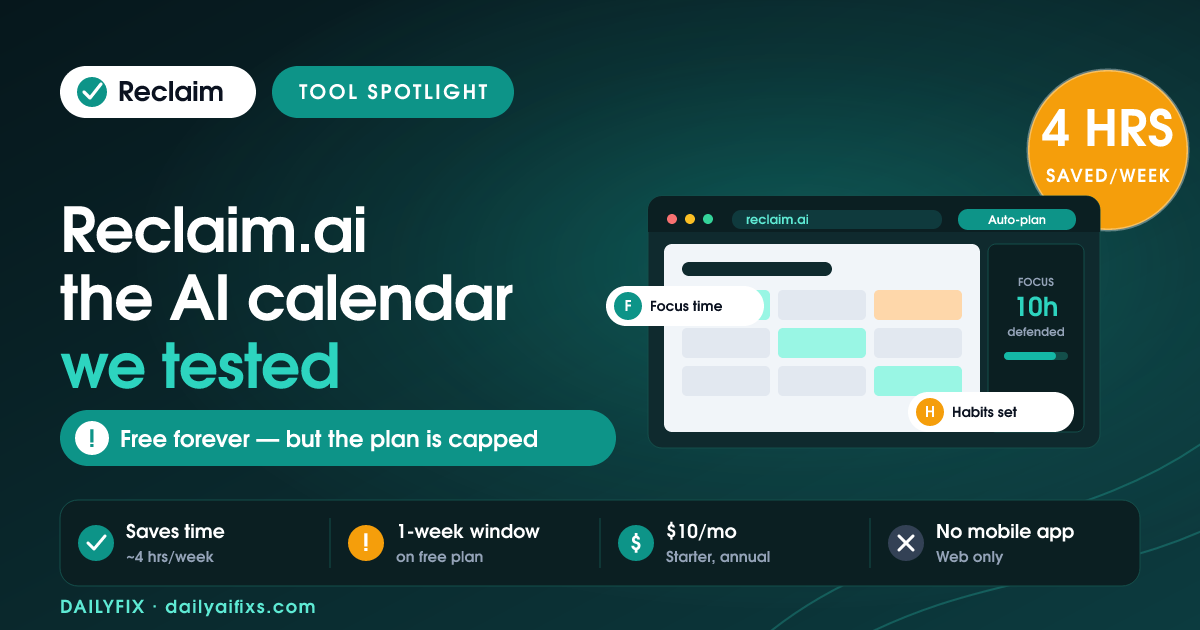
Reclaim.ai is an AI calendar that automatically books your tasks, habits, and meetings around the events you already have. In 2026 it stays free forever on the Lite plan, with paid tiers at $10, $15, and $22 per seat per month billed annually. It genuinely saves scheduling time for busy Google Calendar users, but the free plan now caps you at one calendar sync and a one-week planning window, and there is still no mobile app.
What is Reclaim.ai and who is it for?
Reclaim.ai is an AI scheduling assistant that connects to your Google Calendar or Microsoft Outlook and automatically defends time for your priorities. Instead of you dragging blocks around, Reclaim.ai's agents find open slots for focused work, recurring habits, and meetings, then reshuffle them as your week changes. It is built for people whose calendar is the bottleneck: solopreneurs, consultants, and small teams who lose real hours every week to manual scheduling.
The core idea is "smart" time blocking. You tell Reclaim.ai you want, say, ten hours of deep work and three gym sessions a week, and it finds and protects those slots automatically, moving them if a client meeting lands on top. Everything it creates appears as a normal event on your connected calendar, so people who share your calendar still see when you are busy.
How much does Reclaim.ai cost in 2026?
Reclaim.ai costs nothing on the free Lite plan and $10, $15, or $22 per seat per month on paid plans billed annually, as listed on its official pricing page in July 2026. Month-to-month pricing is higher: Starter is $12 and Business is $18 per seat per month, while Enterprise is annual-only. Paid plans are priced per seat, which matters because Reclaim.ai is built as a team product first.
| Plan | Billed annually | Month-to-month | Best for |
|---|---|---|---|
| Lite | Free forever | Free forever | One person testing the basics |
| Starter | $10 / seat / mo | $12 / seat / mo | Solo users and small teams needing more syncs and links |
| Business (most popular) | $15 / seat / mo | $18 / seat / mo | Larger teams wanting the full feature set |
| Enterprise | $22 / seat / mo | Annual only | Big organizations needing security and dedicated support |
Prices and limits change often — verify on the official pricing page before deciding.
What does the free Reclaim.ai plan actually include?
The free Lite plan includes the five AI scheduling agents, Focus Time, Habits, Buffer Time, Smart Meetings, and Meeting Quality, but it is deliberately narrow. As of July 2026 it caps you at one calendar sync, a one-week scheduling window, one scheduling link, and integrations limited to Google Tasks, Slack, Zoom, and Google Meet. For a single person testing the tool, that is enough to feel the magic; for real ongoing use, the one-week window is the wall you hit first.
Two limits sting the most. The one-week scheduling range means Reclaim.ai only optimizes the next seven days, so it cannot protect focus time or fit habits further out. And the single calendar sync means you cannot merge, say, a work calendar and a personal calendar to block availability across both. Longtime free users have also noticed the Lite plan shrinking over time; it previously offered more calendars and habits and now limits you to one calendar and three habits, which nudges heavier users toward Starter.
Does Reclaim.ai really save time?
Yes, for the right user Reclaim.ai saves real time, with 2026 reviewers reporting roughly four hours a week no longer spent manually shuffling their calendar. The saving comes from automation you would otherwise do by hand: finding open slots, protecting deep work, rescheduling habits when a meeting lands on them, and adding buffer time after calls. If your week is a constant fight between meetings and focus work, that four hours is believable.
The catch is that the payoff scales with how full and how shared your calendar is. A solopreneur with a light, mostly self-managed calendar will see less benefit than a consultant fielding client bookings all day. Reclaim.ai shines when there is genuine chaos to tame; on a quiet calendar, the automation has little to do, and the free plan's one-week window limits how far ahead it can even plan.
What are Reclaim.ai's biggest limitations in 2026?
Reclaim.ai's biggest 2026 limitations are the lack of a native mobile app, an Outlook experience that trails Google Calendar, and a free tier that keeps getting tighter. There is no iOS or Android app, so you cannot review or approve scheduling from your phone; you rely entirely on the web app and your connected calendar. For a tool whose whole job is managing your time on the go, that gap is the one users complain about most.
Microsoft Outlook and Microsoft 365 support arrived in August 2025, which was overdue and welcome, but reviewers say it still does not match the depth and reliability of the Google Calendar setup, and some Microsoft API constraints apply. A few users on review sites also report trouble fully removing Reclaim.ai from Google Calendar after deleting their account, with stray notifications lingering. None of these are dealbreakers on their own, but together they explain why Reclaim.ai is an easier "yes" for Google Calendar power users than for everyone else.
Reclaim.ai vs. doing it manually: what changes?
Compared with manual scheduling, Reclaim.ai shifts calendar upkeep from a daily chore to a background process. The table below contrasts a typical meeting-heavy week done by hand versus with Reclaim.ai, based on the four-hours-a-week saving reviewers report and the tool's documented behavior as of July 2026.
| Task | Manual way | With Reclaim.ai |
|---|---|---|
| Protecting deep work | You block it, then move it whenever a meeting lands | Agent defends it and reschedules automatically |
| Fitting in habits (gym, admin) | Often skipped when the day fills up | Auto-placed in the best open slot each week |
| Booking meetings | Email back-and-forth on times | Scheduling link offers your smart availability |
| Weekly calendar cleanup | ~4 hours of dragging blocks around | Handled in the background |
Prices and limits change often — verify on the official pricing page before deciding.
Frequently asked questions
Is Reclaim.ai free in 2026?
Yes. Reclaim.ai has a Free forever Lite plan in 2026. It includes the five AI scheduling agents, Focus Time, Habits, Buffer Time, and Smart Meetings, but caps you at one calendar sync, a one-week scheduling window, and one scheduling link. Paid plans start at $10 per seat per month billed annually.
How much does Reclaim.ai cost per month?
As of July 2026, Reclaim.ai's Starter plan is $10 per seat per month billed annually, or $12 month-to-month. Business is $15 annually or $18 monthly, and Enterprise is $22 per seat per month on an annual commitment only. The Lite plan stays free forever, with no credit card required to start.
Does Reclaim.ai have a mobile app?
No. As of July 2026 Reclaim.ai has no native iOS or Android app. You manage everything through the web app and your connected calendar. Events Reclaim.ai creates still appear on your phone's calendar, but there is no dedicated Reclaim.ai app to review or approve scheduling on the go.
Does Reclaim.ai work with Outlook?
Yes. Reclaim.ai added full Microsoft Outlook and Microsoft 365 calendar support in August 2025. Reviewers note the Outlook experience still trails the Google Calendar version in depth, and some Microsoft API limits apply, so Google Calendar remains the smoother setup for now.
Is Reclaim.ai worth it for a solopreneur?
For a Google Calendar user who juggles deep work with a heavy meeting load, Reclaim.ai is worth testing free, with reviewers reporting around four hours a week saved on manual scheduling. If your calendar is light or you need a phone app, the free plan's one-week window and missing mobile app may make it a poor fit.
The bottom line
Reclaim.ai in 2026 is a genuinely useful AI calendar for Google Calendar users drowning in meetings, and the free plan is worth trying before you pay anything. Just go in clear-eyed: the free Lite plan's one-week window and single calendar sync are the real limiters, there is no mobile app, and Outlook support still trails Google. If those fit your setup, the roughly four hours a week it can save is easily worth the $10 per seat to unlock a longer planning window.
Based on Reclaim.ai's official pricing page and independent reviews as of July 2026. Written by Sandeep Singh, who builds and tests AI tools daily and runs DailyFix to show solopreneurs which ones actually save time. Prices and features change often — confirm on reclaim.ai before subscribing.