
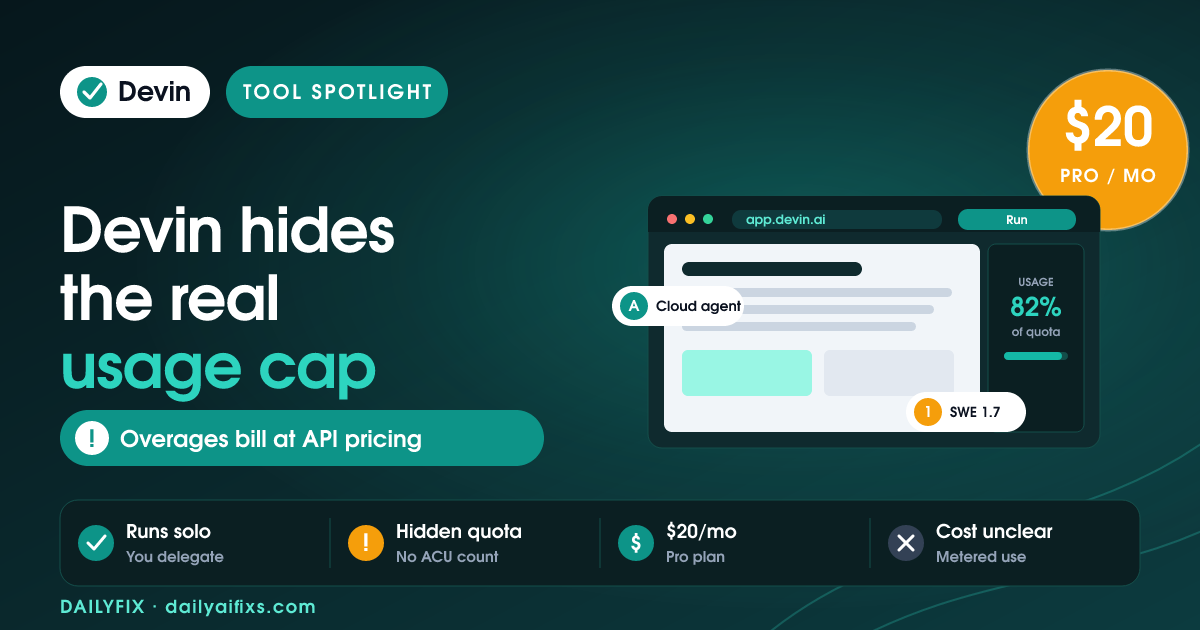
TL;DR: Devin AI pricing in 2026 runs across five tiers — Free ($0), Pro ($20/month), Max ($200/month), Teams ($80/month plus $40 per developer seat), and custom Enterprise. The catch is the usage quota: Devin labels each plan's limit only as "light," "increased," or "significantly higher," never a hard number, and any overage bills at undisclosed API pricing — so your real monthly cost is hard to predict before you run tasks.
Last updated: August 2026 · By Sandeep Singh, DailyFix
What are the Devin AI pricing plans in 2026?
As of August 2026, Devin AI pricing has five plans: Free at $0, Pro at $20/month, Max at $200/month, Teams at $80/month plus $40 per full developer seat, and Enterprise with custom quotes. According to Devin's official pricing page (checked August 2026), every paid tier mainly raises your usage quota rather than unlocking a different feature set — the model, the cloud agent, and the integrations stay broadly the same as you move up.
Devin is Cognition's autonomous software engineer: you hand it a task, and it plans, writes, runs, and debugs code on its own in a cloud environment. That "delegation" model is why the pricing works differently from a normal editor subscription. Here is the current lineup.
| Plan | Price (2026) | Concurrent sessions | Best for |
|---|---|---|---|
| Free | $0 | Up to 10 | Trying cloud agents on light tasks |
| Pro | $20 / month | Up to 10 | Individual developers, frontier models |
| Max | $200 / month | Unlimited | Power users needing much higher quota |
| Teams | $80 / month + $40 per full seat | Unlimited | Teams needing shared billing and admin |
| Enterprise | Custom quote | Unlimited | SSO, VPC deployment, compliance |
Prices and limits change often — verify on the official pricing page before deciding.
What does the Devin AI usage quota actually include?
The Devin AI usage quota is a compute allowance that refreshes on a daily and weekly cycle, and Devin never publishes a fixed number for it. The official pricing page describes the Free quota as "light," Pro as "increased," and Max as "significantly higher" — with no hard task, message, or hour count attached to any of them.
Devin's own FAQ says the cost of each task varies "based on the model used, the task size and complexity, and the reasoning required." That means two developers on the same $20 Pro plan can burn very different amounts of quota depending on how big and messy their tasks are. When you cross the included allowance, Devin says you "can purchase extra usage which is consumed at API pricing" — again, without listing that rate on the plan cards. This is the real catch: the sticker price tells you the door charge, not the bill.
How much does a Devin AI ACU cost?
A Devin AI ACU — Agent Compute Unit — historically represented about 15 minutes of active Devin work, and independent reviews reported it costing roughly $2.00 to $2.25 each. Independent reviews such as AIToolPick's May 2026 breakdown priced the older Core plan at $20/month plus $2.25 per ACU, and the Team plan at $500/month including 250 ACUs, with additional ACUs at $2.00.
In 2026, Devin's official pricing page no longer lists a per-ACU price on its plan cards; the explicit ACU meter has been folded into the quota-plus-"API pricing" model above. The ACU framing is still useful for scale, though: a simple bug fix ran about 1–2 ACUs, an API endpoint 3–5, and a full feature 10–20, per that same May 2026 breakdown. Translated to money, one heavy feature could cost more than the entire $20 monthly Pro fee — which is exactly why an unpublished quota makes budgeting hard.
Does Devin AI have a free plan?
Yes. Devin AI has a Free plan at $0 that includes a light usage quota, limited model availability, unlimited inline edits, unlimited Tab completions, and up to 10 concurrent sessions. It is enough to see how the cloud agent behaves on small, well-scoped tasks before you pay.
The Free tier is a genuine trial of the workflow, not a crippled demo — but the "light" quota is the point. Once you push real work through it, you will hit the ceiling fast, and the only way up is Pro at $20/month or Max at $200/month. For a solopreneur testing whether an autonomous agent fits your stack, start on Free, run three or four representative tickets, and watch how quickly the quota moves before committing.
How does Devin AI pricing compare to Cursor and Copilot?
Devin AI pricing buys delegation, while Cursor and GitHub Copilot pricing buy assistance — and that difference explains the cost gap. Cursor and Copilot sit in your editor and help while you type; Devin goes off and completes the task without you watching, which uses far more compute.
| Tool | Entry price | Model |
|---|---|---|
| Devin Pro | $20/month + quota overage | Autonomous agent (you delegate tasks) |
| Cursor Pro | $20/month flat | AI pair programming in the IDE |
| GitHub Copilot Pro | $10/month flat | Code completion and chat |
| Windsurf Pro | $15/month flat | AI-assisted editing |
Competitor prices above are from AIToolPick's May 2026 comparison and may have shifted — verify on each tool's official pricing page. The takeaway holds regardless: a flat $10–$20 editor subscription has a predictable ceiling, while Devin's bill floats with how much work you delegate. Pick Devin when the value of handing off finished tickets beats the uncertainty; pick a flat tool when you code faster than you can write task specs.
Frequently asked questions
Is Devin's $20 Pro plan a flat fee?
No. The $20/month Pro fee covers an "increased" usage quota, but once you exceed it Devin bills extra usage at API pricing. So $20 is the floor, not the ceiling. If your tasks are small and infrequent you may stay inside the quota, but heavy or ambiguous tasks can push your real monthly total well past the sticker price.
How many tasks can I run on Devin Pro?
Devin does not publish a task count for any plan. Usage depends on the model chosen, task size, complexity, and reasoning required, and the quota refreshes on a daily and weekly basis. The honest answer is that you have to run a few representative tasks and watch your usage meter to learn your own limit.
What is an ACU in Devin?
An ACU, or Agent Compute Unit, is the older measure of Devin's work — roughly 15 minutes of active agent time covering planning, coding, testing, and browser actions. Independent reviews reported ACUs costing about $2.00–$2.25 each. Devin's 2026 plan cards no longer show a per-ACU price, replacing it with quota plus API-priced overage.
Is there a cheaper alternative to Devin for solo developers?
For solo developers who mainly want help while coding, flat-fee editors like GitHub Copilot (about $10/month) or Cursor (about $20/month) are cheaper and more predictable than Devin's metered model. Devin earns its cost when you have a backlog of well-defined tickets you want completed hands-off, not when you are pairing line by line.
Does Devin have a free plan in 2026?
Yes. Devin's Free plan costs $0 and includes a light quota, limited model access, unlimited inline edits, and unlimited Tab completions, with up to 10 concurrent sessions. It is a real way to test the autonomous workflow before paying, though the light quota runs out quickly on substantial work.
Why is Devin's Teams plan priced per seat?
Devin's Teams plan is $80/month for the team plus $40/month per full developer seat, so it scales with headcount. In return you get unlimited team members, centralized billing, an admin dashboard with analytics, and priority support. Each full seat includes its own quota, which is why the per-seat charge exists on top of the base team fee.
Bottom line
Devin AI pricing is honest about its plan prices and vague about what they buy. Free, Pro at $20, Max at $200, and Teams at $80 plus $40 per seat are all real numbers, but the usage quota behind them is unpublished, and overages bill at API pricing you cannot see up front. Buy Devin if you have a backlog of clear, self-contained tickets and want them done hands-off — start on Free, measure your quota burn, then move to Pro. Skip it if you are a solo coder who works faster than you can write specs; a flat editor subscription will cost less and surprise you less.
Sources
- Devin — official Plans and Pricing page (checked August 2026)
- AIToolPick — Devin AI Pricing 2026: Plans and ACU Costs (May 2026)
Related reads
- Cursor Pricing 2026: Requests Became Usage
- Windsurf Pricing 2026: Credits Became Quotas
- GitHub Copilot Pricing 2026: The AI Credits Shift
- Replit Pricing 2026: The Effort-Based Catch




