
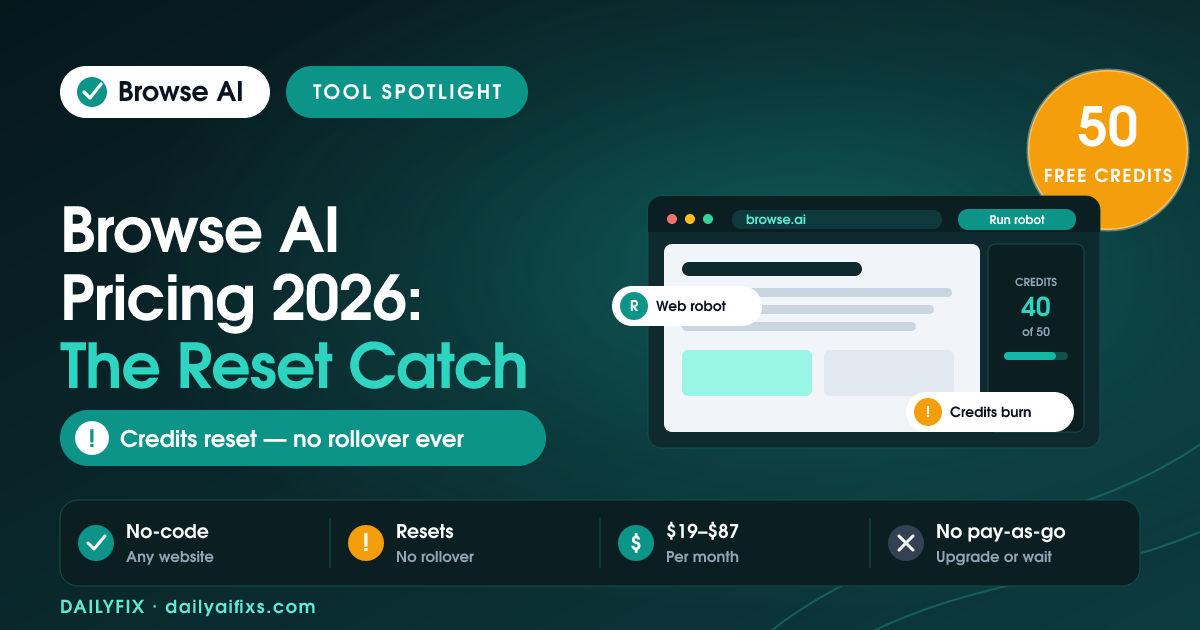
TL;DR: Browse AI pricing starts at a free plan with 50 credits, then $48/month (Personal) or $87/month (Professional) on monthly billing, dropping to $19 and $69/month if you prepay a year. The catch: credits reset every billing cycle with no rollover, there is no pay-as-you-go, and monitoring quietly burns credits far faster than one-off scraping does.
Last updated: August 2026 · By Sandeep Singh, DailyFix
Browse AI is a no-code web scraper: you record a robot once, and it turns any website into a live spreadsheet, API, or monitored dataset. It is one of the most recommended scraping tools for solopreneurs who want data without writing Python. As of August 2026, the pricing looks simple on the surface, but the credit system underneath decides whether you pay $19 a month or blow past your plan in a week. This breakdown walks through every tier, what a credit really buys, and the reset rule that catches new users off guard.
How does Browse AI pricing work in 2026?
Browse AI pricing runs on four tiers plus a credit meter. The plans are Free ($0), Personal, Professional, and Premium, and each one hands you a fixed pool of credits per cycle rather than unlimited scraping. According to Browse AI's pricing page (checked August 2026), Personal is $48/month and Professional is $87/month on monthly billing. Prepay for a full year and the same plans fall to $19/month (Personal) and $69/month (Professional) with a 20% discount and all credits delivered upfront.
The important shift is that your bill is not just the plan fee. Every tier caps three things at once: credits, the number of distinct websites you can target, and user seats. You can build unlimited robots on any plan, including Free, but robots do nothing until they consume credits. That is why two people on the same $48 plan can have wildly different experiences, one comfortable and one constantly out of credits.
What's included in the Browse AI free plan?
The Browse AI free plan costs $0 forever and includes 50 credits per month, 2 websites, 3 users, unlimited robots, 90-day data retention, and basic email support. It is a genuine free tier with full platform access, not a locked demo, so you can record a robot and pull real data on day one. The ceiling is the 50 credits.
Fifty credits sounds usable until you see how fast they go. A single page with 50 listings costs 5 credits to extract; pulling each listing's detail page adds 50 more credits and blows the entire monthly allowance in one run. The free plan is best treated as a proof-of-concept: enough to confirm Browse AI can read the site you care about, not enough to run anything ongoing. Once it works, you are effectively pushed to a paid tier.
How do Browse AI credits actually get spent?
Browse AI credits are spent by data volume and activity, not by how many robots you own. One credit extracts 10 rows of data or captures one screenshot, per Browse AI's pricing FAQ (checked August 2026). So a table of 50 rows costs 5 credits, and a page you screenshot costs 1 credit each time it runs.
Two multipliers make the meter move faster than people expect. First, premium sites, the ones that need rotating residential proxies or captcha solving, carry a minimum cost of 2 to 10 credits per run instead of 1. Second, deep scraping that follows every listing into its own detail page multiplies row extraction across dozens of pages. A job that feels like "one scrape" in your head can be hundreds of credits once the robot fans out across detail pages.
Do Browse AI credits roll over, or reset each cycle?
No, Browse AI credits do not roll over. They reset at the end of every billing cycle, monthly or annual, and any unused credits are wiped, according to Browse AI's pricing FAQ (checked August 2026). The single exception is upgrading mid-cycle: if you move to a bigger plan before the reset, leftover credits are added on top of the new allowance for that period.
This is the real catch, and it has two edges. There is no pay-as-you-go option, so when you run dry before the cycle ends, your only moves are to upgrade or wait it out while your monitors sit idle. And because credits never bank, buying a bigger plan "for safety" means paying for headroom you lose at the reset. Monitoring makes it worse: watching 50 detail pages every 3 days costs roughly 500 credits per month, a quarter of the Personal plan's 2,000, spent silently in the background whether or not the pages actually changed.
Is Browse AI worth it versus the alternatives?
Browse AI is worth it when you need reliable, no-code scraping and monitoring on a handful of sites and your volume is predictable. Independent reviews such as Thunderbit's 2026 write-up flag the same weak spot users report: costs climb quickly at scale because the credit model ties spend to rows and monitoring frequency, not a flat rate. For heavy or unpredictable volume, that unpredictability is the problem.
The honest comparison is against your own workload, so here is how the tiers line up on the numbers that decide your bill.
| Plan | Monthly price | Annual price (per mo) | Credits | Websites | Users |
|---|---|---|---|---|---|
| Free | $0 | $0 | 50 / month | 2 | 3 |
| Personal | $48 | $19 | 2,000 / month · 12,000 / year | 5 | 3 |
| Professional | $87 | $69 | 5,000 / month · 60,000 / year | 10 | 10 |
| Premium | From $500 (annual) | From $500 | 600,000+ / year | Custom | Custom |
Prices and limits change often — verify on the official pricing page before deciding.
Two details buried in the plans matter for budgeting. Extra websites are billed separately, at $5/month each on Personal and $3/month each on Professional (monthly billing). And Browse AI bills only in US dollars through Stripe, so international users add a currency-conversion fee on top of every figure above.
FAQ
Is Browse AI free to use?
Yes, Browse AI has a free plan that costs $0 forever and includes 50 credits per month, 2 websites, 3 users, and unlimited robots. Fifty credits is enough to test the tool, but it runs out within a day or two of real scraping or monitoring, so the free plan is a trial, not a workhorse.
How much does Browse AI actually cost per month?
On monthly billing, the Personal plan is $48/month for 2,000 credits and Professional is $87/month for 5,000 credits. If you prepay for a year you drop to $19/month (Personal, 12,000 credits/year) and $69/month (Professional, 60,000 credits/year). The advertised $19 price only exists with annual prepayment.
What is a Browse AI credit?
One Browse AI credit extracts 10 rows of data from a page or captures one screenshot. Premium sites that need residential proxies or captcha solving cost a minimum of 2 to 10 credits per run. Credit spend is driven by rows extracted, screenshots taken, and how often your monitors run, not by the number of robots you build.
Do unused Browse AI credits roll over to the next month?
No. Browse AI credits reset at the end of every billing cycle and unused credits do not carry over. The only exception is upgrading mid-cycle, where leftover credits get added on top of your new allowance. There is no pay-as-you-go option, so if you run out early you either upgrade or wait for the reset.
Why do my Browse AI credits disappear so fast?
Monitoring is the usual culprit. Every scheduled check spends credits, so watching 50 detail pages every 3 days costs about 500 credits per month, a quarter of the Personal plan's 2,000. Frequent monitors, large row counts, and premium sites all multiply the burn quietly in the background.
Can I pay Browse AI in my local currency?
No. Browse AI only bills in US dollars through Stripe and accepts major credit cards. There is no local-currency billing, so international users pay currency-conversion fees on top of the plan price. Browse AI does offer a 60-day satisfaction refund under conditions listed in its refund policy.
Bottom Line
Browse AI earns its price if your scraping is steady and your target sites are few: the $19/month annual Personal plan is a fair deal for reliable, no-code data pulls. Skip it, or size up carefully, if you plan to monitor many pages frequently or scrape at unpredictable volume, because credits reset with no rollover and no pay-as-you-go safety valve. Before committing, estimate your monthly credits from real row counts and monitor frequency, then buy the tier that covers a busy month, not an average one.
Sources
- Browse AI — official pricing page (checked August 2026)
- Thunderbit — Browse AI review, pricing and limits (2026)
Related reads
- Bardeen AI Pricing 2026: The Credit Per Row Catch
- Zapier Pricing 2026: The Shared Task Pool Catch
- Make Pricing 2026: The Credit Multiplier
- n8n Pricing 2026: When Cloud Beats Self-Hosting




