
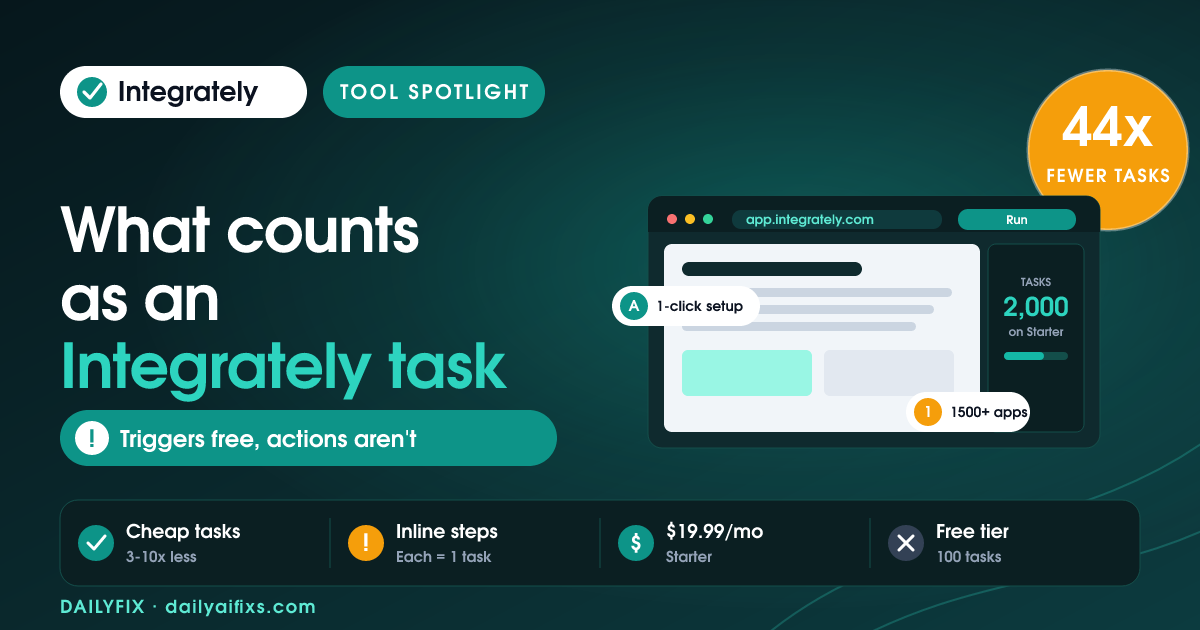
TL;DR: Integrately pricing in 2026 has five tiers billed annually: Free (100 tasks/month), Starter ($19.99/month, 2,000 tasks), Professional ($39/month, 10,000 tasks), Growth ($99/month, 30,000 tasks), and Business ($239/month, 150,000 tasks). The catch is what counts as a task: every successful action, condition, search, and modify-data step burns one — triggers are free, but inline steps quietly inflate your usage.
Last updated: August 2026 · By Sandeep Singh, DailyFix
What are the Integrately pricing plans in 2026?
As of August 2026, Integrately pricing has five plans, all quoted on annual billing: Free at $0 with 100 tasks/month, Starter at $19.99/month with 2,000 tasks, Professional at $39/month with 10,000 tasks, Growth at $99/month with 30,000 tasks, and Business at $239/month with 150,000 tasks. According to Integrately's official pricing page (checked August 2026), an Enterprise tier with custom pricing sits above Business.
Integrately is a no-code automation platform that connects 1,500+ apps with one-click, ready-made workflows — a direct rival to Zapier and Make. The plans differ on three axes: monthly tasks, how fast automations check for new data, and which features unlock. Here is the current lineup.
| Plan | Price (annual) | Tasks / month | Update speed |
|---|---|---|---|
| Free | $0 | 100 | 15 minutes |
| Starter | $19.99 / month | 2,000 | 5 minutes |
| Professional | $39 / month | 10,000 | 2 minutes |
| Growth | $99 / month | 30,000 | 2 minutes |
| Business | $239 / month | 150,000 | 2 minutes |
Prices and limits change often — verify on the official pricing page before deciding.
What counts as a task in Integrately?
A task in Integrately is any successful action, condition or branch, search, or modify-data step your automation runs. Triggers are free and failed actions are not counted, but each inline "modify data" or "search" you add inside an action counts as its own separate task, according to Integrately's official FAQ (checked August 2026).
That distinction is the whole game. Take a common flow: a Facebook lead comes in, you check whether it has an email, then you add it to Mailchimp while splitting the full name into first and last name. Integrately counts that single run as four tasks — zero for the trigger, one for the condition, one for the Mailchimp action, and two for the inline modify-data steps. Multiply that by hundreds of leads and your 2,000-task Starter allowance disappears faster than the plan name suggests. The fix is to design lean automations: fewer inline transforms, fewer redundant searches.
What does the Integrately free plan include?
The Integrately free plan costs $0 and includes 100 tasks per month, up to 5 automations, single-step workflows, a 15-minute update time, and 24x5 live chat support. It does not include webhooks, multi-step workflows, paths, or premium apps.
For a solopreneur, 100 tasks is a genuine trial, not a workhorse — enough to wire up one or two simple flows and see whether Integrately's one-click library fits your stack. The 15-minute check interval also means near-real-time automations are off the table until you upgrade to Starter, which drops it to 5 minutes. Treat Free as a proof of concept, then move up once a flow proves it saves you time.
What happens when you run out of Integrately tasks?
When you run out of Integrately tasks, your automations do not get deleted — but their actions stop executing, and incoming records pile up in Integrately until you upgrade or your monthly tasks reset. Once you add tasks, you resume the paused actions from the History page.
This is gentler than a hard failure, but it still means silent delays: leads sit unprocessed, notifications do not fire, and you may not notice until someone complains. If you are running client-facing automations, size your plan with headroom and watch the task meter, because "paused" work is still late work. Integrately's Auto-Retry feature (on higher plans) also re-runs records that failed in the last 24 hours once you fix an automation.
How does Integrately pricing compare to Zapier and Make?
Integrately pricing is generally cheaper per task than Zapier and Make because Integrately does not count triggers or polling checks as tasks, while Make counts every "check for changes" as a task. That single accounting difference can make Make consume far more of your allowance for the same work.
| Scenario (200 records/month) | Tasks consumed |
|---|---|
| Make, 5-minute sync | ~8,840 tasks |
| Make, 2-minute sync | ~21,800 tasks |
| Integrately (triggers not counted) | 200 tasks |
Those figures come from Integrately's own comparison on its pricing page and favor Integrately by design, so treat them as a best case and verify against your real workflows. Still, the structural point holds: if your automations poll frequently, a trigger-counting platform can cost far more than the sticker price implies. Integrately's weakness is fewer advanced developer features than Make; its strength is predictable, cheaper task math for straightforward business flows.
Frequently asked questions
Is Integrately cheaper than Zapier?
For most small-business automations, yes. Integrately's Starter is $19.99/month for 2,000 tasks and it does not count triggers, while comparable Zapier and Make plans often cost more for similar volume and, in Make's case, count polling checks as tasks. Your real savings depend on how many inline steps your flows use, so map a typical automation before committing.
Do triggers count as tasks in Integrately?
No. Triggers are free in Integrately, and failed actions are not counted either. Only successful actions, conditions, searches, and modify-data steps consume tasks. This is the main reason Integrately's task allowances stretch further than platforms that bill for every check.
Why do inline modify-data steps count separately?
Integrately treats inline modify-data and inline search as separate internal steps, even though the interface shows them inside an action for convenience. Each use counts as one task. So an action that splits a name into two fields adds two tasks on top of the action itself — worth remembering when you design flows on a tight allowance.
What is Integrately's cheapest paid plan?
Integrately's cheapest paid plan is Starter at $19.99/month billed annually, which includes 2,000 tasks, a 5-minute update time, webhooks, multi-step workflows, and 3 premium apps for a single user. It is the right entry point once the free plan's 100 tasks run out.
Can I add more tasks without upgrading my plan?
Integrately's plans are tiered by monthly tasks, and running out pauses action execution rather than adding tasks automatically. To get more capacity you upgrade to a higher plan; Integrately's support can advise if your needs sit between tiers. Records queued during a shortfall resume from the History page once tasks are available.
Does Integrately have a free trial on paid plans?
Integrately offers a free plan permanently and advertises a 14-day free trial framing on its site, so you can test paid features before paying. The safest approach is to build one representative automation, watch how many tasks a single run consumes, then choose the plan that gives you comfortable headroom.
Bottom line
Integrately is one of the cheaper automation platforms in 2026, and its refusal to count triggers or polling checks genuinely saves money versus Make. The catch is subtler: inline modify-data and search steps each count as a task, so lean flow design matters. Start on the free plan to test the one-click library, move to Starter at $19.99/month once you outgrow 100 tasks, and jump to Professional at $39 when you need paths, unlimited premium apps, and 10,000 tasks. Choose Integrately if you want predictable, low-cost task math for business automations; look elsewhere if you need deep developer tooling.
Sources
- Integrately — official pricing page and task FAQ (checked August 2026)
- The Digital Project Manager — Integrately pricing tiers
Related reads
- Make Pricing 2026: The Credit Multiplier
- Zapier Pricing 2026: The Shared Task Pool Catch
- n8n Pricing 2026: When Cloud Beats Self-Hosting
- Pabbly Connect Pricing 2026: The Lifetime Deal




