
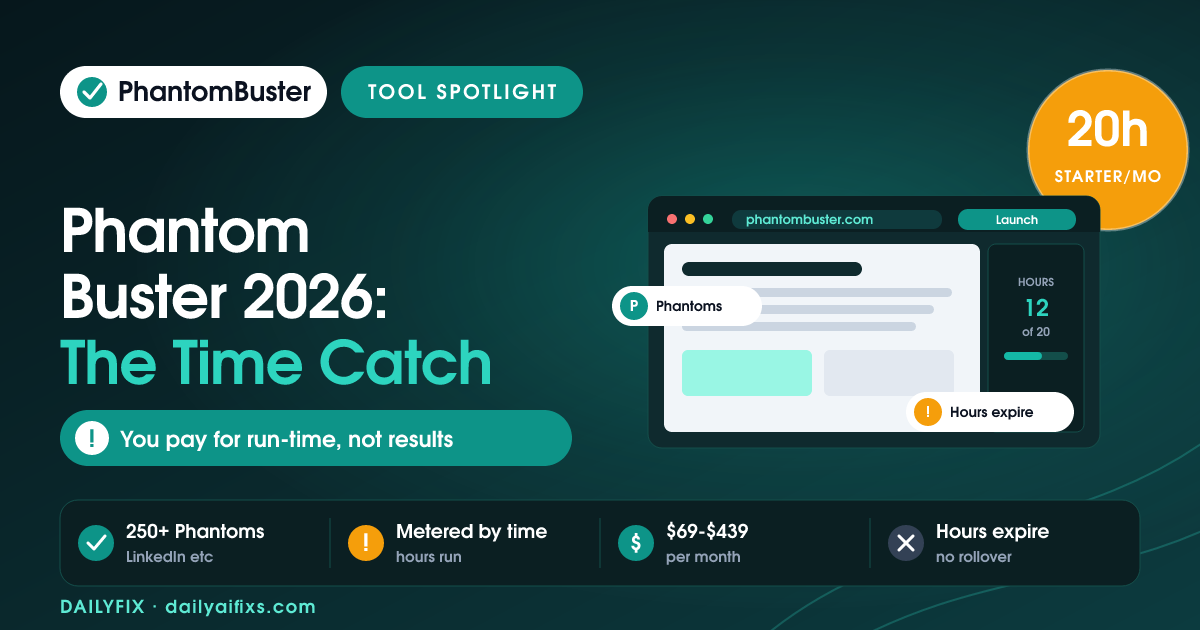
TL;DR: PhantomBuster pricing runs $69/mo (Starter), $159/mo (Pro), and $439/mo (Team), metered by execution time, the hours your automations run, plus AI and email credits. The catch is you pay for run-time rather than results, and unused hours and credits expire every month with no rollover.
Last updated: August 2026 · By Sandeep Singh, DailyFix
PhantomBuster automates lead generation and data extraction across LinkedIn, Instagram, and other sites using bots called Phantoms. As of August 2026 its pricing rewards efficiency in an unusual way: you are billed for how long your automations run, not how many leads they collect. That distinction changes how you should size a plan. This breakdown explains the meter, the tiers, and the expiry rule that surprises new users. The headline to remember is that PhantomBuster charges for the clock, not the catch: an automation that runs slowly costs the same as one that returns nothing, so efficient setups quietly win. That single design choice explains most of the pricing complaints and most of the happy reviews too.
How does PhantomBuster pricing work in 2026?
PhantomBuster pricing has three tiers billed on execution time. According to PhantomBuster's pricing and independent 2026 breakdowns (checked August 2026), Starter is $69/month, Pro is $159/month, and Team is $439/month, with roughly 20% off on annual billing.
Each tier bundles a monthly pool of execution hours, a number of Phantom slots, and email credits. The meter that matters is execution time, so a plan is really a budget of run-hours, and heavy or slow automations exhaust it faster than a light setup would.
What is execution time on PhantomBuster?
Execution time on PhantomBuster is the number of hours your Phantoms actually spend running each month. Per PhantomBuster's plan details (checked August 2026), Starter includes 20 hours a month, Pro includes 80 hours, and Team includes more headroom on top.
This is the catch: you pay for time, not output. A Phantom that scrolls slowly, retries, or waits on a slow site burns hours whether or not it returns good data. Two users chasing the same number of leads can land on different bills purely because one configured faster, leaner automations.
What's included in the PhantomBuster Starter plan?
The PhantomBuster Starter plan costs $69 per month and includes 20 hours of monthly execution time, 5 Phantom slots, and 500 email credits, per PhantomBuster's plan details (checked August 2026). It suits a solo user running a handful of light automations.
The ceilings are the 20 hours and 5 slots. Running several Phantoms daily, or one heavy LinkedIn workflow, can consume 20 hours well before month end, at which point you either upgrade to Pro or wait for the reset. Starter is a testing and light-use tier, not a scaled engine.
Do PhantomBuster hours and credits roll over?
No, PhantomBuster execution hours and credits do not roll over. Per independent 2026 pricing breakdowns of PhantomBuster (checked August 2026), unused execution time, email credits, and AI credits all expire at the end of each month with no carryover.
That expiry compounds the time-based catch. If you buy Pro's 80 hours for one busy campaign, the unused hours vanish at cycle end rather than banking for a quieter month. It rewards steady, predictable usage and penalizes buying headroom for occasional spikes.
Is PhantomBuster worth it for lead generation?
PhantomBuster is worth it for social lead generation when your automations are lean and your usage is steady, because the 250+ ready Phantoms cover LinkedIn, Instagram, and more without code. For consistent daily prospecting, the execution-hour model is predictable and fair.
It is a weaker fit for bursty projects or slow, heavy scrapes, where run-time balloons and unused hours expire. Here is how the tiers compare on the numbers that decide your bill.
| Plan | Monthly price | Execution time | Phantom slots | Email credits |
|---|---|---|---|---|
| Starter | $69 | 20 hours / mo | 5 | 500 |
| Pro | $159 | 80 hours / mo | 15 | 2,500 |
| Team | $439 | Higher headroom | More | Higher |
Prices and limits change often — verify on the official pricing page before deciding.
FAQ
How much does PhantomBuster cost?
PhantomBuster costs $69 per month for Starter, $159 for Pro, and $439 for Team, with roughly 20% off on annual billing. Each tier includes a pool of monthly execution hours, Phantom slots, and email credits. You are billed on run-time, so the right plan depends on how many hours your automations run, not how many leads they collect.
What is execution time in PhantomBuster?
Execution time is the total hours your Phantoms spend running each month. Starter includes 20 hours, Pro includes 80, and Team adds more. You pay for this run-time rather than for results, so slow or retrying automations burn hours even when they return little data. Leaner setups stretch the same plan much further.
Do PhantomBuster credits expire?
Yes. PhantomBuster execution hours, email credits, and AI credits all expire at the end of each month and do not roll over. Buying a higher tier for a one-off busy campaign means any unused hours vanish at the reset, so the model favors steady monthly usage over stockpiling headroom for occasional spikes.
What's included in the PhantomBuster Starter plan?
The $69-a-month Starter plan includes 20 hours of monthly execution time, 5 Phantom slots, and 500 email credits. It fits a solo user running a few light automations. Heavy daily use or one slow LinkedIn workflow can exhaust the 20 hours before month end, forcing an upgrade to Pro or a wait for the reset.
Is PhantomBuster good for LinkedIn automation?
PhantomBuster is popular for LinkedIn and social automation because its 250+ ready-made Phantoms handle profile scraping, connection requests, and enrichment without code. It works best when your automations are lean and usage is steady, since the execution-time meter and monthly expiry penalize slow, bursty, or oversized workflows.
Is PhantomBuster better than Browse AI?
PhantomBuster specializes in social platforms like LinkedIn and Instagram and bills by execution time, while Browse AI is a general no-code web scraper billed by credits tied to rows and monitoring. PhantomBuster wins for social lead-gen recipes; Browse AI wins for monitoring arbitrary websites and turning them into spreadsheets.
Bottom Line
PhantomBuster is worth it for steady social lead generation, its ready-made Phantoms automate LinkedIn and Instagram without code, and the execution-hour model is fair when your usage is lean and consistent. It is a poor fit for bursty projects or slow, heavy scrapes, because run-time inflates the bill and unused hours and credits expire monthly. Size your plan on measured run-time from a test week, and keep automations efficient to stretch each hour. For bursty campaigns, front-load them into one billing cycle so you actually spend the hours you paid for before they expire.
Sources
Related reads
- Browse AI Pricing 2026: The Credit Reset Catch
- Bardeen AI Pricing 2026: The Credit Per Row Catch
- Clay Pricing 2026: Two Credit Currencies
- Zapier Pricing 2026: The Shared Task Pool Catch




