
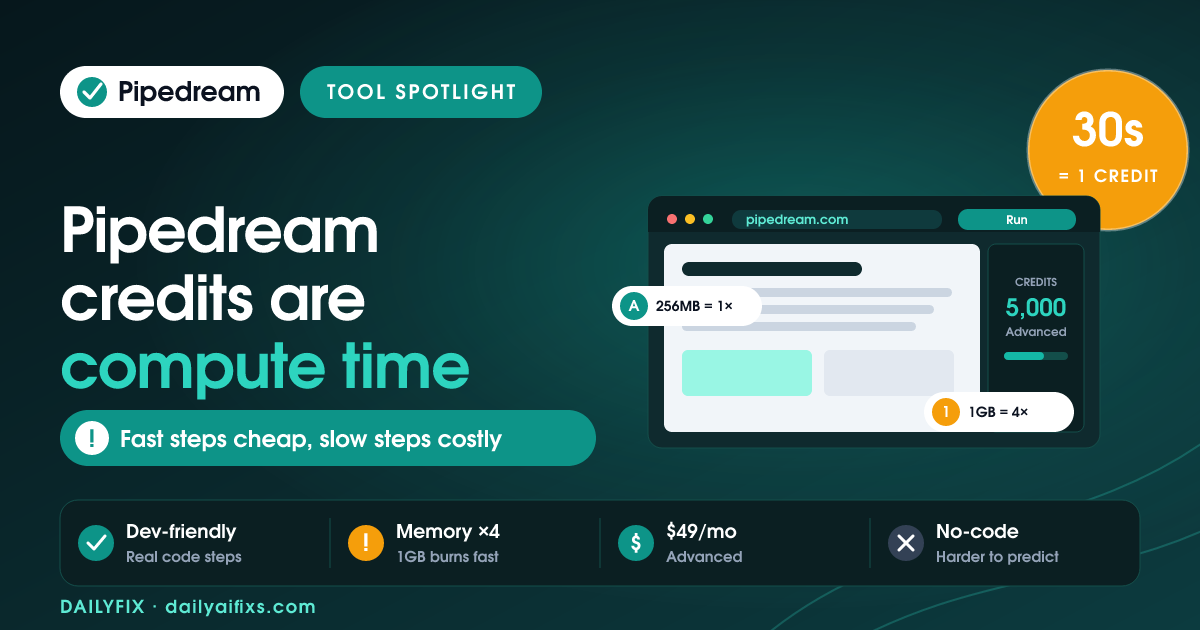
TL;DR: Pipedream pricing bills credits as compute, not tasks. One credit is 30 seconds of run time at 256MB, and memory multiplies it, so 1GB burns credits four times faster. Free gives 300 credits/month, Basic is $29 (2,000 credits), Advanced is $49 (5,000 credits, unlimited workflows). Efficient workflows are cheap; slow, heavy ones are not.
Last updated: July 2026 · By Sandeep Singh, DailyFix
Pipedream is a developer-first automation platform that competes with Zapier and Make, and it is popular because you can drop real code into a workflow. As of July 2026, its pricing looks familiar on the surface: free tier, then a couple of paid plans with credits. The twist is what a credit measures. Pipedream credits are compute, so the same workflow can cost pennies or a lot depending on how you build it.
What are the Pipedream pricing plans in 2026?
Pipedream has four tiers: Free, Basic ($29/month), Advanced ($49/month), and a sales-led Business plan. According to Pipedream's pricing and independent breakdowns (checked July 2026), Basic includes 2,000 credits and 10 active workflows, Advanced includes 5,000 credits and unlimited workflows, and Business adds custom volume pricing, HIPAA, SSO, VPCs and SLAs.
For most solo builders and small agencies, Advanced at $49 is the sweet spot because it removes the workflow cap and quadruples Basic's credits. Basic suits a handful of small automations. Business is only worth a conversation once you need compliance features or volume pricing beyond what Advanced covers.
What does the Pipedream free plan include?
The Pipedream free plan includes 300 credits per month, 3 active workflows, 3 connected accounts and access to most app integrations, with no credit card required. That is enough to run a few light automations or test a build before committing.
The limits that bite first are the 3 active workflows and 300 credits, not the connectors. Three hundred credits is 150 minutes of compute at 256 MB, which sounds like plenty until a memory-heavy or slow workflow eats into it. Treat the free plan as a proving ground: build a client automation, confirm it works, then move to Basic or Advanced when it goes live and needs headroom.
How do Pipedream credits work?
A Pipedream credit is a unit of compute: one credit equals 30 seconds of execution at 256 MB of memory. Because credits meter compute, memory multiplies the cost. A step set to 1 GB burns credits about four times faster than the same step at 256 MB, so build and run time both matter.
This is the heart of Pipedream pricing and the part newcomers miss. Two workflows that trigger the same number of times can cost wildly different amounts if one finishes in two seconds at low memory and the other grinds for twenty seconds at high memory. The upside is control: tighten your code and memory and you pay very little. The risk is a runaway or bloated workflow that quietly drains credits.
Pipedream vs Zapier pricing: how does it differ?
Pipedream bills compute time, while Zapier and Make bill per task or per operation. On Zapier, each step counts once no matter how long it takes; on Pipedream, a slow step costs more than a fast one even if it runs the same number of times. Efficient, code-based workflows are usually cheaper on Pipedream.
The practical difference: if your automations are simple and you value a predictable per-task bill, Zapier or Make is easier to reason about. If you write efficient steps and want to pay for actual compute rather than a flat per-run fee, Pipedream can be dramatically cheaper at volume. Many developers run high-frequency, lightweight jobs on Pipedream precisely because the compute model rewards speed.
How do you keep Pipedream credit cost down?
Keep Pipedream credit cost down by setting each step's memory to the minimum it needs, since 256 MB costs a quarter of what 1 GB does, and by making steps finish fast. Avoid long in-workflow waits, and merge logic so you run fewer, quicker executions.
Concrete tactics: default new steps to 256 MB and only raise memory when a task genuinely needs it; move heavy data processing into a single efficient code step instead of several slow ones; and use event filters early so a workflow exits before it burns compute on runs it does not need. Because a credit is 30 seconds at 256 MB, every second and megabyte you trim maps straight to a lower invoice.
Pipedream plan comparison (2026)
| Plan | Price | Credits/mo | Active workflows |
|---|---|---|---|
| Free | $0 | 300 | 3 |
| Basic | $29/mo | 2,000 | 10 |
| Advanced | $49/mo | 5,000 | Unlimited |
| Business | Custom | Custom | Unlimited + compliance |
1 credit = 30 seconds at 256MB; 1GB memory uses credits ~4x faster. Prices and limits change often — verify on the official pricing page before deciding.
Frequently asked questions
Is Pipedream free?
Yes. Pipedream has a free plan with 300 credits per month, 3 active workflows and 3 connected accounts, and no credit card required. It also includes access to most app integrations. It is a genuine tier for small automations and testing, but the 300 credits and 3-workflow cap make it a starter, not a production plan.
How much does Pipedream cost per month?
Pipedream has four tiers as of July 2026: Free, Basic at $29 per month with 2,000 credits and 10 active workflows, Advanced at $49 per month with 5,000 credits and unlimited workflows, and a sales-led Business plan with custom volume pricing, HIPAA, SSO and SLAs. Credits are the meter on every paid tier.
What is a Pipedream credit?
A Pipedream credit is a unit of compute: one credit equals 30 seconds of execution at 256 MB of memory. Because it meters compute, memory multiplies the cost. A step configured at 1 GB burns credits about four times as fast as the same step at 256 MB, so a heavy workflow can cost far more than a light one that runs just as often.
How is Pipedream different from Zapier pricing?
Zapier and Make bill per task or per operation, so each step counts once regardless of how long it takes. Pipedream bills compute time, so a fast, simple workflow is very cheap and a slow or memory-heavy one is expensive, even if both trigger the same number of times. Developers who write efficient steps usually pay less on Pipedream than on Zapier.
How do you keep Pipedream credit costs down?
Keep Pipedream credit cost down by lowering step memory to the minimum a task needs, since 256 MB costs a quarter of what 1 GB does. Also make steps finish fast, avoid long waits inside a workflow, and combine logic so you run fewer, quicker executions. Because a credit is 30 seconds at 256 MB, shaving seconds and megabytes directly cuts the bill.
Is Pipedream good for developers?
Yes. Pipedream is code-friendly, letting you drop Node.js, Python, Go or Bash steps into a workflow alongside prebuilt app actions. That makes it a strong pick for developers who want automation with real code, not just no-code blocks. The compute-based pricing rewards efficient code, so it fits technical users better than pure no-code teams.
Who should not use Pipedream?
Skip Pipedream if you want fully no-code automation with a simple per-task bill you can predict at a glance. Non-technical users may find the compute-credit model and code steps harder to reason about than Zapier's per-task pricing. For simple, predictable, no-code automations, a task-based tool is easier to budget.
Bottom line
Pipedream is one of the best-value automation platforms for developers, because its compute-credit model rewards efficient, code-based workflows that Zapier would bill flatly. Start on the free plan, move to Advanced at $49 once you need unlimited workflows and more credits, and reserve Business for compliance or heavy volume. The rule to remember: a credit is 30 seconds at 256MB, and memory multiplies it. Build lean steps and Pipedream is remarkably cheap; let workflows run slow and heavy and the credits vanish. If you can code, it is hard to beat.
Sources
- Pipedream official pricing page (checked July 2026)
- Automation Atlas — Pipedream pricing explained, 2026
Related reads
- Zapier Pricing 2026: The Shared Task-Pool Catch
- Make Pricing 2026: The Credit Multiplier
- n8n Pricing 2026: When Cloud Beats Self-Hosting
- Gumloop Pricing 2026: The $244 Team Jump
- Bardeen AI Pricing 2026: The Credit-Per-Row Catch




