TL;DR: Albato pricing is free for 100 transactions a month, then $15 a month for Pro (billed annually) starting at 1,000 transactions with unlimited automations and steps. The catch: a transaction is every step that runs after the trigger, so a multi-action workflow burns several transactions per run, and overage transactions cost 50% more.
Last updated: August 2026 · By Sandeep Singh, DailyFix
Albato is a 1,000-plus-app automation platform that positions itself as a cheaper, simpler alternative to Zapier and Make. As of August 2026 its headline price is genuinely low, and the free plan is real. But the way Albato counts usage is where builders misjudge their bill. Here is the real math, checked in August 2026, so you size the right plan the first time.
How does Albato pricing work in 2026?
Albato pricing splits into two choices: a plan and a transaction package. As of August 2026, the plans are Free ($0), Pro ($15 a month billed annually, or $22 monthly), a coming-soon Teams tier ($65 a month annually), and a custom Enterprise plan, while a separate monthly transaction package sets how much volume you get, per Albato's pricing page.
The plan decides how you work, unlimited automations and steps, AI features, update speed, seats, and the transaction package decides how much your automations can do each month. This split is unusual: two people both on Pro can pay very different amounts because one buys 1,000 transactions and the other buys 200,000. Understanding what a "transaction" is matters more than the plan name, because that is the meter your money actually runs through.
What counts as a transaction in Albato?
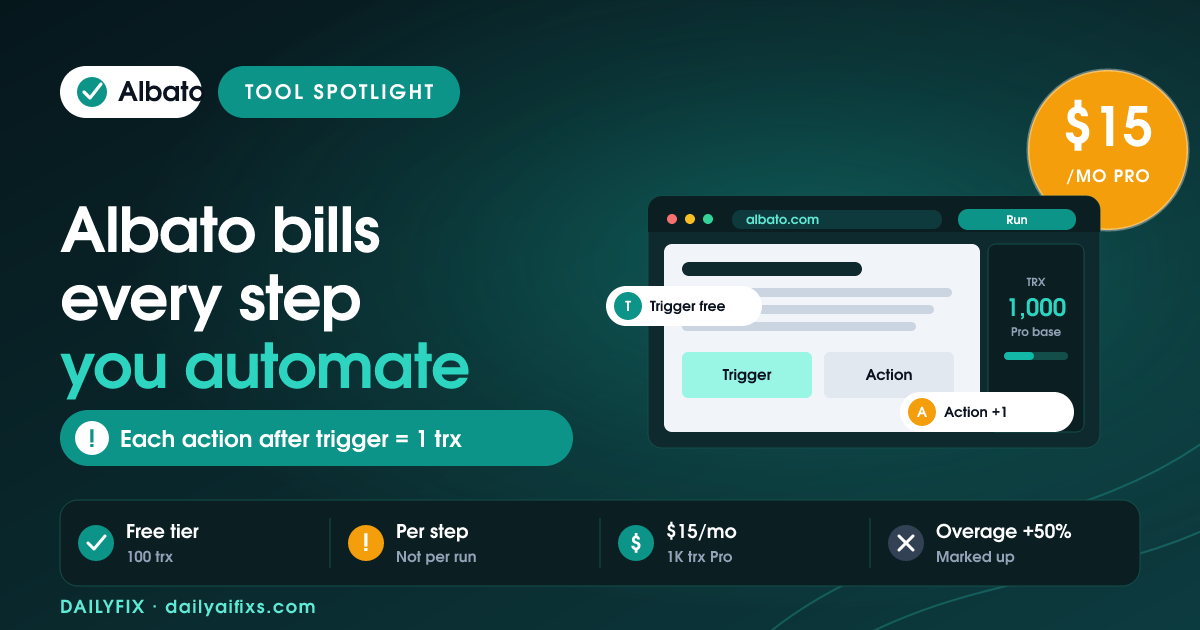
A transaction in Albato is each automation step that runs after the trigger, per Albato's pricing FAQ checked in August 2026. Triggers do not consume transactions, but every action after them does, so a workflow with four post-trigger actions spends four transactions each time it runs, not one.
This is the core catch, and it is the number most people miss. If you picture "1,000 transactions" as 1,000 workflow runs, you are off by however many steps each workflow has. A simple two-action automation, say "create a contact, then send a Slack message", uses two transactions per run, so 1,000 transactions is 500 runs. A five-step workflow burns through the same package in 200 runs. Before choosing a package, count the post-trigger steps in your typical automation and multiply by how often it fires.
| Plan | Price | Transactions | Steps / automation | Update interval |
|---|---|---|---|---|
| Free | $0 | 100 | 2 | 15 min |
| Pro | $15/mo (annual) | from 1,000 | Unlimited | 5 min |
| Teams (soon) | $65/mo (annual) | from 5,000 | Unlimited | 3 min |
| Custom | Contact us | Flexible | Unlimited | 1 min |
Prices and limits change often — verify on the official pricing page before deciding.
Is the Albato free plan enough to start?
The Albato free plan gives 100 transactions a month, 5 active automations, and unlimited apps, but caps you at 2 steps per automation and a 15-minute update interval. That is enough to test whether a simple two-app connection works, not enough to run multi-step logic or anything time-sensitive.
The 2-steps-per-automation limit is the real ceiling on the free plan. Any workflow that needs a filter plus two actions, or a branch, immediately outgrows it, so the free tier functions more as a proof-of-concept sandbox than a place to run real automations. The 15-minute polling interval also means the free plan is not for anything that has to react quickly. It is a fine way to confirm Albato connects to the apps you care about before you pay for Pro.
What happens when you run out of Albato transactions?
When you use up your Albato transaction package, Albato keeps your automations running on extra transactions instead of stopping them, and warns you as you approach the limit. Those additional transactions are priced 50% higher than the ones included in your package, per Albato's pricing FAQ checked in August 2026.
The no-interruption policy is friendly, but the 50% overage premium is the sting. If your normal package works out to roughly $0.033 per extra transaction on Pro, running over means paying a markup on every step until you resize your package. Albato frames overage as a temporary bridge, and it is: the cheaper fix is to move to a bigger monthly package the moment you see the warning, rather than coasting on marked-up transactions. For predictable workloads, buy slightly more headroom than you think you need.
Is Albato worth it vs Zapier and Make?
Albato is worth it against Zapier and Make when you want 1,000-plus app connections at a lower headline price, $15 a month for Pro with unlimited automations and steps. The value depends entirely on your workflow shape, because Albato's per-step transaction counting rewards short automations and punishes long ones.
Compare the platforms on transactions-per-run for your real workflows, not on the sticker price. A business running many simple two-step automations can genuinely save money on Albato; a business running a few long, multi-branch workflows may find the transaction math closes the gap with competitors. For a solopreneur automating handoffs between a handful of apps, Albato's low entry price and unlimited-steps Pro plan make it a strong, budget-friendly pick, as long as you size the transaction package to your actual step count.
Frequently asked questions
Is Albato free?
Yes, Albato has a free plan with 100 transactions a month, 5 active automations, 2 steps per automation, unlimited apps and connections, 7-day log storage, and a 15-minute update interval. It is enough to test one or two simple workflows, but the 2-steps-per-automation limit means you cannot build multi-step logic on the free tier.
What counts as a transaction in Albato?
A transaction in Albato is each automation step that runs after the trigger, such as creating a contact, sending a message, or adding a record. Triggers themselves do not consume transactions. So a workflow with four actions after the trigger uses four transactions every time it runs, not one.
How much does Albato Pro cost?
Albato Pro costs $15 per month billed annually, or $22 billed monthly, per Albato's pricing page checked in August 2026. Pro starts at 1,000 transactions and includes unlimited automations and steps, Albato AI, AI Agents, a 5-minute update interval, and 30-day logs. You scale the transaction package separately, up to 2 million.
What happens if I run out of Albato transactions?
Albato keeps your automations running with extra transactions rather than stopping them, and notifies you as you approach the limit. Additional transactions are priced 50% higher than the ones in your package. The overage is a temporary bridge, so Albato expects you to upgrade to a larger transaction package to bring the unit cost back down.
Does the Albato plan or the transaction package set the price?
Both. In Albato, the plan (Pro or Teams) defines how you work and which collaboration features you get, while a separate monthly transaction package sets your volume. You can keep the same plan and just resize the transaction package as your usage grows, which is why two Pro users can pay very different amounts.
Is Albato cheaper than Zapier?
Albato Pro starts at $15 a month for 1,000 transactions with unlimited automations and steps, which undercuts many Zapier tiers on paper. But because Albato counts every post-trigger step as a transaction, a workflow with several actions consumes volume quickly. Compare on transactions-per-run for your actual workflows, not on the headline monthly price.
Bottom Line
Albato is a strong, budget-friendly automation platform in 2026, with a real free plan, a $15 Pro tier, and unlimited automations and steps once you pay. Choose it if you run many short, simple workflows across its 1,000-plus apps, and size the transaction package to your real step count, remembering every action after the trigger is a transaction. Watch the 50% overage premium and upgrade your package early. If your automations are long and multi-branch, run the transaction math against Zapier and Make before switching.
Sources
- Albato — Official pricing (checked August 2026)
- Albato — Help Center
Related reads
- Zapier Pricing 2026: The Shared Task Pool Catch
- Make Pricing 2026: The Credit Multiplier
- n8n Pricing 2026: When Cloud Beats Self-Hosting
- Integrately Pricing 2026: What Counts as a Task
- Pabbly Connect Pricing 2026: The Lifetime Deal