
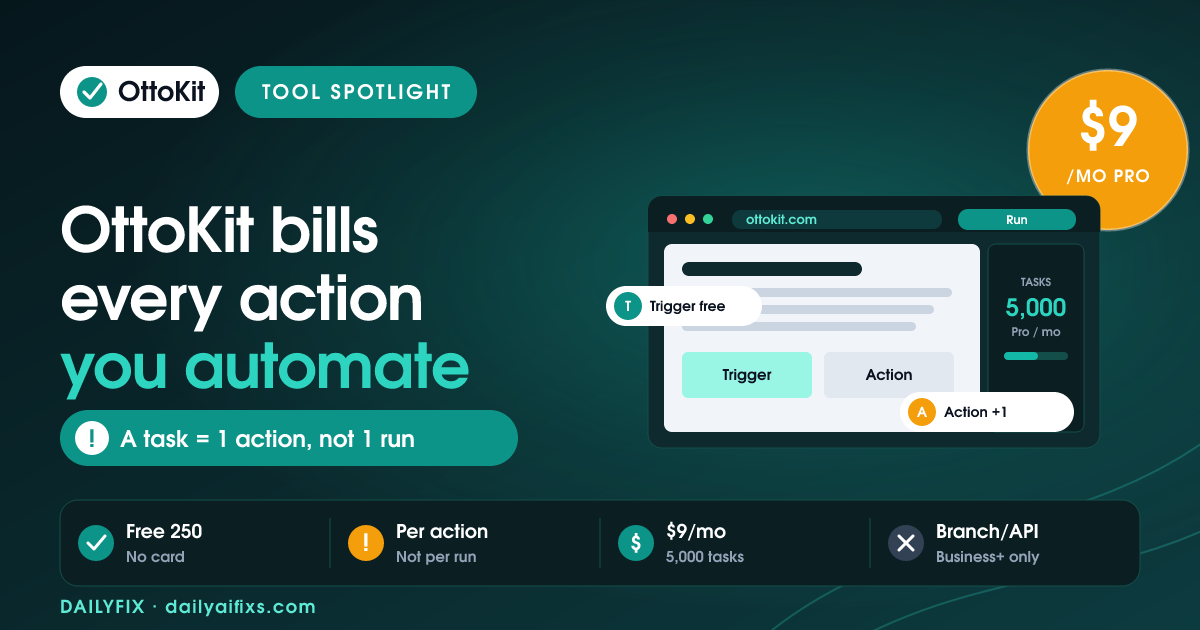
TL;DR: OttoKit pricing is free for 250 tasks a month, then $9 a month for Pro (5,000 tasks), $19 for Business (10,000 tasks), and $39 for Business Plus (30,000 tasks), billed annually. The catch: a task is every action that runs after the trigger, so multi-step workflows spend several tasks per run, and core apps like Branch and API only start on Business.
Last updated: August 2026 · By Sandeep Singh, DailyFix
OttoKit, the automation platform formerly known as SureTriggers, is built by the team behind Astra and ZipWP that already serves millions of WordPress users. As of August 2026 it markets itself as a cheaper, friendlier Zapier alternative, and the sticker prices back that up. But how OttoKit counts tasks, and which features are gated, decides whether the low price actually holds for your workflows. Here is the real math, checked in August 2026.
How does OttoKit pricing work in 2026?
OttoKit pricing runs on monthly task allotments across four tiers. As of August 2026, Free gives 250 tasks, Pro is $9 a month for 5,000 tasks, Business is $19 a month for 10,000 tasks, and Business Plus is $39 a month for 30,000 tasks, all billed annually, per OttoKit's pricing page. One-time lifetime plans are also offered.
Each tier buys a pool of monthly tasks plus limits on workspaces, WordPress connections, table rows, and forms. The price ladder is genuinely low, but two things separate the sticker from your real bill: how OttoKit defines a "task", and the fact that some of the logic tools you will actually want are reserved for higher plans. Get both right before you pick a tier.
What counts as a task in OttoKit?
A task in OttoKit is any workflow action that runs successfully, and triggers are never charged, per OttoKit's FAQ checked in August 2026. So a workflow that creates a CRM contact and then sends a confirmation email spends two tasks per run, not one. The more actions a workflow has, the faster it drains your allotment.
This is the number that trips up new users. If you read "5,000 tasks" as 5,000 automation runs, you overestimate what Pro covers. A two-action workflow turns 5,000 tasks into 2,500 runs; a four-action workflow turns it into 1,250. It is the same task-counting model Zapier uses, so the honest comparison is tasks-per-run: count the actions after your trigger, multiply by how often the workflow fires each month, and match that to a plan. OttoKit does warn you at 70% usage, which helps avoid surprise stops.
| Plan | Price (annual) | Tasks / month | Workspaces | Core apps (Branch, API, Loop) |
|---|---|---|---|---|
| Free | $0 | 250 | 1 | No |
| Pro | $9/mo | 5,000 | 1 | No |
| Business | $19/mo | 10,000 | 5 | Yes |
| Business Plus | $39/mo | 30,000 | Unlimited | Yes |
Prices and limits change often — verify on the official pricing page before deciding.
Is the OttoKit free plan enough to start?
The OttoKit free plan gives 250 tasks a month, 20 workflows, 1 workspace, and all available integrations, with no credit card. That is enough to run a handful of light, single-action automations and confirm OttoKit connects to the apps you use, but not enough for busy or multi-step workflows.
The 250-task ceiling is the practical limit. A single two-action workflow that fires a few times a day can exhaust it well before month end, so treat the free plan as a real testing ground rather than a place to run production automations. On the upside, OttoKit does not cripple the free tier on connections: you get all integrations and even AI Agents and Human in the Loop. Use it to validate your setup, then move to Pro once your task math outgrows 250.
Does OttoKit have a lifetime deal?
Yes. OttoKit sells one-time lifetime plans in addition to annual billing: Pro at $499, Business at $799, and Business Plus at $1,499 as of August 2026, per OttoKit's pricing page. Each is a single payment that locks in that plan's monthly task allotment for good.
For a solopreneur who plans to keep automating for years, the lifetime math can beat annual billing surprisingly fast: Business Plus at $1,499 one-time equals roughly three years of its $39-a-month annual price, and you keep it after that. The caveats matter, though. Lifetime plans are capped at their task allotment, and OttoKit only lets you stack an additional annual plan on top if you outgrow it, rather than upgrading the lifetime tier freely. Buy lifetime only when you are confident the task ceiling fits your long-term volume.
Is OttoKit cheaper than Zapier?
OttoKit is cheaper than Zapier on headline price: 5,000 tasks for $9 a month on Pro, connecting 1,200-plus apps, undercuts comparable Zapier plans. Because both tools count each successful action as a task, the savings are real as long as you compare tasks-per-run for your actual workflows, not the sticker price.
The honest caveat is feature gating, not task cost. Branching, paths, custom API calls, and loops live on OttoKit's Business plan and up, so a $9 Pro plan cannot build complex conditional logic; you would need the $19 Business tier. Compared against Zapier, that still tends to come out cheaper for equivalent capability. For a solopreneur or small team running straightforward automations across many apps, OttoKit is one of the most budget-friendly options in 2026, provided you size tasks correctly and check that your logic fits your plan.
Frequently asked questions
Is OttoKit free?
Yes. OttoKit has a free plan with 250 tasks a month, 20 workflows, 1 workspace, 1 WordPress connection, all available integrations, AI Agents, and Human in the Loop, with no credit card required. It is enough to run a few light automations, but the 250-task cap fills quickly once a workflow has multiple actions.
What counts as a task in OttoKit?
A task in OttoKit is any action in a workflow that runs successfully, per OttoKit's FAQ checked in August 2026. Triggers are not charged. So a workflow that adds a CRM record and then sends an email uses two tasks each time it runs, not one. Multi-step workflows consume tasks faster than the plan number suggests.
How much does OttoKit Pro cost?
OttoKit Pro costs $9 a month billed annually ($108 a year) and includes 5,000 tasks a month, unlimited workflows, 1 workspace, and 5 WordPress connections, per OttoKit's pricing page checked in August 2026. Business is $19 a month for 10,000 tasks, and Business Plus is $39 a month for 30,000 tasks.
Does OttoKit have a lifetime deal?
Yes. OttoKit offers one-time lifetime plans alongside annual billing: Pro at $499, Business at $799, and Business Plus at $1,499 as of August 2026, each a single payment. A lifetime plan locks in its task allotment permanently, and OttoKit lets you stack an annual plan on top if you later need more tasks.
Are branching and API steps included in OttoKit Pro?
No. OttoKit's core apps, Email Parser, Path, Branch, API Module, and Loop, are not included in the Pro plan; they start on the Business plan at $19 a month. So if your automations need branching logic, custom API calls, or loops, Pro at $9 is not enough and you need at least Business.
Is OttoKit cheaper than Zapier?
On headline price, yes. OttoKit Pro gives 5,000 tasks for $9 a month, well under comparable Zapier tiers, and it connects 1,200-plus apps. Because both count each successful action as a task, the savings hold as long as you compare on tasks-per-run for your real workflows rather than on the sticker price alone.
Bottom Line
OttoKit is one of the best-value automation platforms in 2026 for solopreneurs and small teams, with a real free plan, a $9 Pro tier, and 1,200-plus app connections. Buy Pro for simple multi-app automations, and step up to Business at $19 if you need branching, API calls, or loops. Size the plan by tasks-per-run, not by run count, since every action after the trigger counts. Consider the lifetime deal only when your task volume is stable and you know it will not outgrow the cap.
Sources
- OttoKit — Official pricing (checked August 2026)
- OttoKit — Product overview
Related reads
- Zapier Pricing 2026: The Shared Task Pool Catch
- Make Pricing 2026: The Credit Multiplier
- Albato Pricing 2026: The Per-Step Transaction Catch
- Pabbly Connect Pricing 2026: The Lifetime Deal
- Integrately Pricing 2026: What Counts as a Task




