
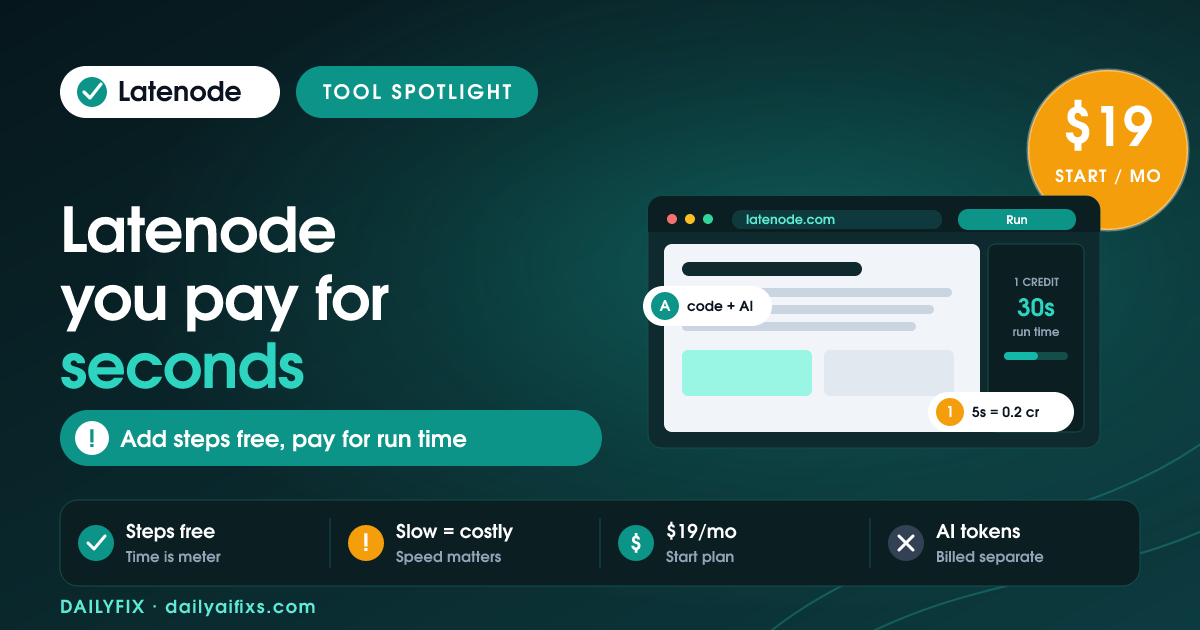
TL;DR: Latenode pricing bills execution credits by how long a scenario runs, not per step: one credit is 30 seconds of run time. Free covers 300 runs, Start is $19/month (5,000 runs), Team is $59/month (25,000 runs). The catch and the perk are the same fact: add all the steps you want, and you still only pay for seconds of execution.
Last updated: August 2026 · By Sandeep Singh, DailyFix
Latenode is a fast-growing automation platform that mixes no-code blocks, real code and AI in one workflow, and it competes with Make and Zapier. As of August 2026, its pricing rests on one idea that sets it apart: you pay for how long a scenario runs, not how many steps it has. That single design choice quietly rewards exactly the complex, multi-step automations that get expensive everywhere else.
What are the Latenode pricing plans in 2026?
Latenode has a free plan, Start at $19/month and Team at $59/month, with higher tiers and Enterprise for larger volumes. According to Latenode's pricing and independent breakdowns (checked August 2026), Start includes unlimited workflows and up to 5,000 scenario runs, while Team adds collaboration and up to 25,000 scenario runs. Execution credits meter usage within each plan.
For a solo builder, the free plan or Start at $19 is the natural entry, and Team at $59 suits small teams running many automations. Because workflows are unlimited from the Start plan up, the tier you choose is really about run volume and execution credits, not how many automations you are allowed to build.
What does the Latenode free plan include?
The Latenode free plan includes up to 300 scenario runs per month and 3 active workflows, with no credit card required. It lets you build and test real automations, including ones with code and AI steps, before paying.
The limits that bite are the 300 runs and 3 active workflows. That is enough to prototype and demo, but a live automation firing often will pass 300 runs quickly. For a freelancer, the free plan is a solid way to prove an automation works for a client, then move to Start when it goes into daily use and needs unlimited workflows and more runs.
How do Latenode execution credits work?
Latenode charges execution credits based on how long a whole scenario runs, where one credit equals 30 seconds of execution time. A workflow finishing in 6 seconds costs about 0.2 credits on the Start plan, and the Team plan applies a roughly 3-second minimum at about 0.1 credits per run, per Latenode's pricing (checked August 2026).
This is the pay-for-seconds model, and it flips the usual math. On most tools, every action step adds cost; on Latenode, the meter is time, so a scenario's step count barely matters as long as it runs fast. The lever you control is execution speed: efficient code, no unnecessary waits, and quick external calls all lower the credits each run consumes. Slow scenarios, by contrast, are the expensive ones here.
Latenode vs Make pricing: why are complex workflows cheaper?
Latenode bills execution time while Make bills per operation, so adding steps to a Latenode scenario does not each add cost. A four-node workflow running in five seconds costs about 0.2 credits on Latenode, whereas Make would bill four separate operations for the same run.
That difference compounds with complexity. The more steps a fast workflow has, the more Latenode saves you versus per-operation pricing, which is why data-heavy, multi-step automations are where it shines. Make can still win for very simple, occasional automations with one or two steps. But if you build rich workflows that run quickly, Latenode's time-based model is usually the cheaper home for them at volume.
Is Latenode good for AI automation?
Yes. Latenode blends no-code blocks, full JavaScript code steps and AI model calls in a single workflow, which makes it strong for AI automation. You can add custom logic and AI exactly where you need it without leaving the platform, and pair it with the execution-credit model that keeps multi-step runs cheap.
The one thing to budget separately is model usage: calls to external AI providers are billed by those providers, on top of Latenode's execution credits. So an AI-heavy workflow has two costs, the seconds of execution and the tokens the model consumes. For a builder who wants code, AI and automation in one place, Latenode is a genuinely capable hybrid, provided you track both meters.
Latenode plan comparison (2026)
| Plan | Price | Scenario runs/mo | Workflows |
|---|---|---|---|
| Free | $0 | 300 | 3 |
| Start | $19/mo | 5,000 | Unlimited |
| Team | $59/mo | 25,000 | Unlimited |
| Higher / Enterprise | Custom | More | Unlimited |
1 execution credit = 30 seconds of scenario run time; step count does not add cost. Prices and limits change often — verify on the official pricing page before deciding.
Frequently asked questions
Is Latenode free?
Yes. Latenode has a free plan with up to 300 scenario runs per month and 3 active workflows, with no credit card required. It is enough to build and test a few automations, including ones with code and AI steps. Once you need more runs or unlimited workflows, you move to the Start plan at $19 per month.
How much does Latenode cost per month?
Latenode has a free plan, a Start plan at $19 per month with unlimited workflows and up to 5,000 scenario runs, and a Team plan at $59 per month with team collaboration and up to 25,000 scenario runs, as of August 2026. Higher tiers and Enterprise exist for larger volumes. Execution credits, based on run time, meter usage within each plan.
How do Latenode execution credits work?
Latenode charges execution credits based on how long a whole scenario runs, not per step. One credit equals 30 seconds of execution time. So a workflow that finishes in 6 seconds costs about 0.2 credits on the Start plan, and the Team plan applies a 3-second minimum at roughly 0.1 credits. Faster scenarios cost less regardless of how many steps they contain.
Why are complex workflows cheaper on Latenode?
Because Latenode bills execution time, not operations, adding steps does not directly add cost. A four-node workflow that runs in five seconds costs about 0.2 credits, whereas per-operation tools like Make or Zapier would bill four separate operations. So the more steps a fast workflow has, the more you save versus per-step pricing, which favors complex automations.
Is Latenode good for AI automation?
Yes. Latenode blends no-code blocks, full code steps in JavaScript, and AI model calls in one workflow, so it suits AI automation well. You can add logic and AI where you need it without leaving the platform. Model usage from external AI providers is billed by those providers, so budget AI tokens separately from Latenode's execution credits.
Is Latenode cheaper than Make?
For complex, multi-step workflows, Latenode is usually cheaper because it bills by execution time rather than per operation, so extra steps do not each add cost. Make can be cheaper for very simple, occasional automations. If your workflows have many steps and run fast, Latenode's time-based model tends to win; for a couple of simple steps, the difference is small.
Who should not use Latenode?
Skip Latenode if your workflows are slow or long-running, since execution time is the meter and lengthy scenarios burn more credits. It is also more than a non-technical user may want if you never touch code, though its no-code blocks work fine alone. For simple, occasional automations, a per-task tool may be easier to predict.
Bottom line
Latenode is one of the smartest-value automation platforms in 2026 for anyone who builds rich, multi-step workflows, because it charges for seconds of execution rather than per operation. Start free to test, move to Start at $19 for unlimited workflows, and step up to Team at $59 as run volume grows. The rule that keeps costs low: speed is the meter, so write efficient scenarios and add as many steps as you like. Just remember AI model tokens bill separately, and Latenode is a powerful, cost-effective home for complex automation.
Sources
- Latenode official pricing page (checked August 2026)
- WizardCost — Latenode pricing and real cost, 2026
Related reads
- Make Pricing 2026: The Credit Multiplier
- Pipedream Pricing 2026: Credits Are Compute
- Zapier Pricing 2026: The Shared Task-Pool Catch
- n8n Pricing 2026: When Cloud Beats Self-Hosting
- Activepieces Pricing 2026: Flows, Not Tasks




