Windmill Pricing 2026: The Free Self-Host
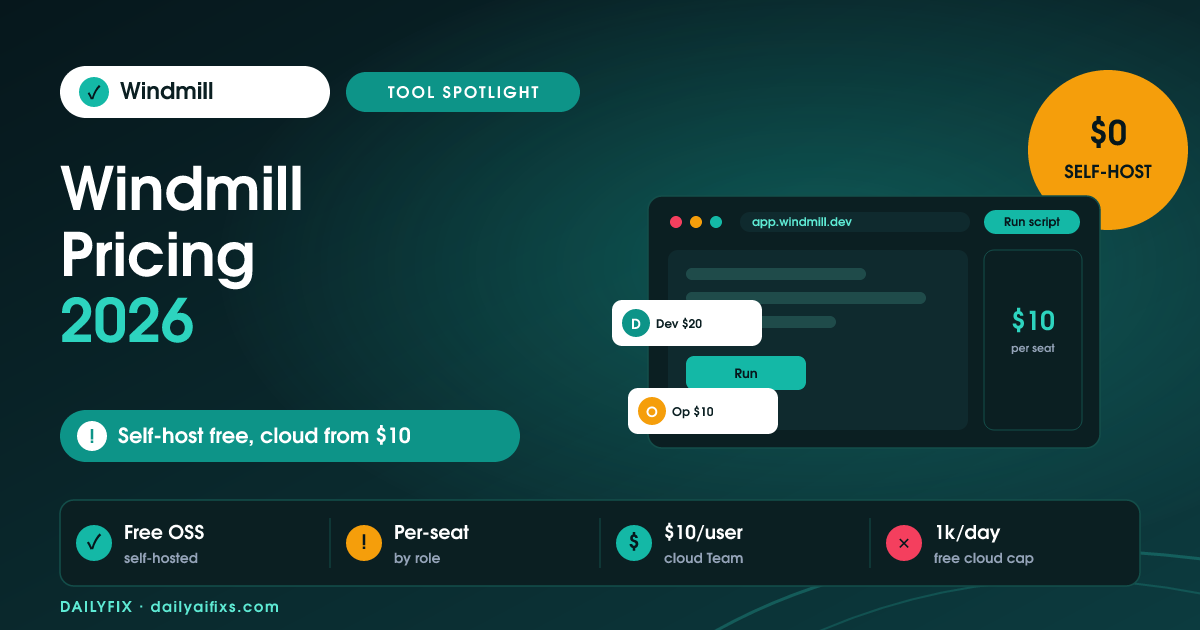
TL;DR: Windmill pricing in 2026 is split in two: the self-hosted Community Edition is free with unlimited executions, while the cloud has a Free tier (1,000 executions/day), a Team plan at $10 per user per month, and custom Enterprise pricing. Cloud seats are priced by role — developers cost more than operators.
Last updated: August 2026 · By Sandeep Singh, DailyFix
Windmill is an open-source developer platform and workflow engine, and its Windmill pricing in 2026 rewards anyone willing to self-host. As of August 2026 the self-hosted Community Edition is free with unlimited runs, so your cost is just the server. The cloud version, by contrast, bills per seat by role. Here is the full split.
Is Windmill really free when self-hosted?
Yes — the Windmill self-hosted Community Edition is free with unlimited executions. You run it on your own server, so your only cost is the hardware or VM it lives on, not a per-run or per-seat fee.
That makes self-hosted Windmill one of the cheapest ways to run serious volume, since executions are not metered. The trade-off is that you manage updates, scaling, and uptime yourself, which is fine for a technical solo builder but real work for a non-developer.
How much does the Windmill cloud Team plan cost?
The Windmill cloud Team plan costs $10 per user per month and lifts the free cloud tier's 1,000-executions-per-day limit to unlimited executions. According to Windmill's pricing page checked in August 2026, Team is aimed at small groups that want the cloud to handle hosting.
The cloud Free tier is capped at 1,000 executions per day, which suits testing and light use. Team removes that cap and adds collaboration features, so the choice between Free and Team usually comes down to daily volume and whether you have more than one person building flows.
How do Windmill per-seat roles change the price?
Windmill per-seat roles change the price because a developer seat costs more than an operator seat: roughly $20 per month for a developer and $10 per month for an operator, with operators and external users counting as half a developer seat. You pay for what each person does, not a flat rate.
This role split can save money for teams where most people only run or monitor flows rather than build them. Budget by counting how many true developers you have versus operators, because a team of mostly operators is much cheaper than the headline developer rate suggests.
What are Windmill compute units?
Windmill compute units are the underlying meter for heavier cloud usage, tracking the compute your scripts and flows consume rather than just the number of runs. Plans bundle an allowance, and large workloads draw more units.
For most small teams the seat price dominates and compute units stay in the background. But if you run CPU-heavy scripts or big data jobs, check the compute-unit allowance on your plan so a demanding workflow does not push you into a higher tier unexpectedly.
How does Windmill pricing compare to n8n?
Windmill pricing compares well to n8n for developers: both offer a free self-hosted path, but Windmill leans code-first (Python, TypeScript, and more) while n8n leans visual. Windmill's cloud Team at $10 per user is competitive with n8n's paid cloud tiers.
Choose Windmill if you and your team write code and want scripts as first-class citizens; choose n8n if you prefer a visual node canvas and a bigger library of prebuilt integrations. Both reward self-hosting, so the decision is more about workflow style than raw price.
| Plan | Price | Execution limit | Best for |
|---|---|---|---|
| Community (self-hosted) | Free | Unlimited | Technical users who can host it |
| Cloud Free | $0 | 1,000 / day | Testing and light cloud use |
| Cloud Team | $10 / user / month | Unlimited | Small teams wanting managed hosting |
| Developer / Operator seat | ~$20 / ~$10 per month | Role-based | Teams mixing builders and runners |
| Enterprise | Custom | Custom | Large orgs, SSO, support |
Prices and limits change often — verify on the official pricing page before deciding.
Frequently asked questions
Is Windmill free?
Windmill's self-hosted Community Edition is free with unlimited executions — you only pay for the server it runs on. The cloud version has a Free tier limited to 1,000 executions per day, then paid Team and Enterprise plans for higher volume and managed hosting.
How much is the Windmill cloud Team plan?
The Windmill cloud Team plan is $10 per user per month, according to Windmill's pricing page checked in August 2026. It removes the free cloud tier's 1,000-executions-per-day cap and gives small teams unlimited executions with managed hosting.
Why do Windmill seats have different prices?
Windmill prices seats by role. A developer seat is around $20 per month while an operator seat is about $10, and operators or external users count as half a developer seat. This lets teams pay less for people who only run or monitor flows rather than build them.
Should I self-host or use Windmill cloud?
Self-host if you are technical and want free, unlimited executions and full control — you just manage updates and uptime. Use the cloud Team plan if you would rather pay $10 per user per month to skip hosting and get collaboration features out of the box.
Is Windmill better than n8n?
Windmill is more code-first, treating Python and TypeScript scripts as first-class, while n8n is more visual with a bigger integration library. For developer teams that prefer writing code, Windmill fits better; for visual, prebuilt-integration workflows, n8n is often easier.
What are compute units in Windmill?
Compute units meter the actual compute your scripts and flows use, beyond just run counts. Plans bundle an allowance, and heavy CPU or data jobs draw more units. For light workloads the per-seat price dominates and compute units rarely matter.
Does Windmill limit executions?
The self-hosted Community Edition has unlimited executions. The cloud Free tier is capped at 1,000 executions per day, while the paid Team plan lifts that to unlimited. Enterprise adds custom limits, support, and security features.
Can Windmill run Python and TypeScript?
Yes. Windmill is code-first and treats scripts in languages like Python and TypeScript as first-class building blocks, alongside a visual flow builder. That mix is a big reason developer teams pick it over purely visual tools, since real code is easier to version, test, and reuse.
Bottom line
Windmill is a rare automation tool that is genuinely free at scale — if you self-host. Technical solo builders should run the Community Edition and pay only for a server. Small teams that would rather not manage infrastructure get a fair deal with cloud Team at $10 per user per month, and the developer-versus-operator seat split keeps costs down when most people only run flows. Skip Windmill if you want a purely visual, no-code builder with a huge prebuilt-integration library — n8n or Make will feel friendlier there.
Sources
Related reads
- n8n Pricing 2026: When Cloud Beats Self-Hosting
- Activepieces Pricing 2026: Flows, Not Tasks
- Latenode Pricing 2026: You Pay for Seconds
- Make Pricing 2026: The Credit Multiplier
- Zapier Pricing 2026: The Shared Task Pool Catch